You’re juggling crew schedules, chasing down unpaid invoices, trying to remember which customer asked for mulch in the spring, and fielding calls from new leads who found you on Google — all before lunch. If that sounds familiar, you already know the real pain point every landscaping business owner faces: there are only so many hours in the day, and most of them get swallowed up by admin work instead of the actual work that pays. Learning how to use AI CRM for landscapers is quickly becoming the single most practical step small landscaping businesses can take to stop drowning in paperwork and start scaling with intention.
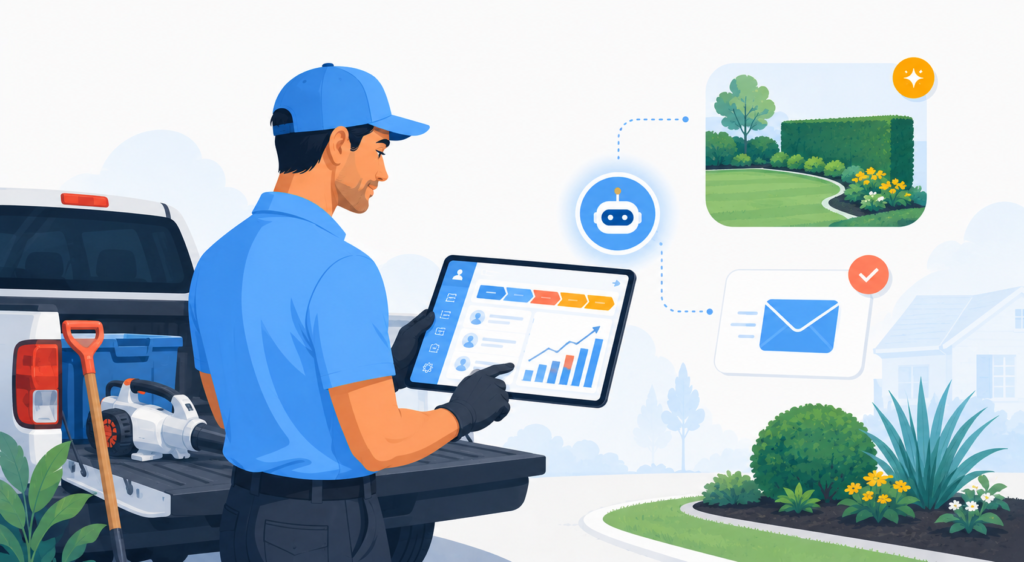
AI-powered CRM systems aren’t just digital Rolodexes anymore. In 2026, they automatically follow up with leads, remind customers about seasonal services, predict which clients are likely to churn, and even help you draft professional proposals — all while you’re out on a job site. The technology has matured to the point where a solo operator or a small crew can realistically compete with much larger landscaping companies just by working smarter. This guide walks you through exactly what to look for, which tools stand out, and how to put them to work in a real landscaping business starting today.
Why AI CRM Is a Game-Changer for Landscaping Businesses
The landscaping industry in the United States is worth over $176 billion annually, yet the majority of companies operating in this space are small businesses with fewer than 10 employees. That means most landscaping owners are wearing every hat simultaneously — salesperson, scheduler, accountant, crew manager, and customer service rep. Traditional CRM software helped a little, but it still required constant manual input. AI changes that equation dramatically.
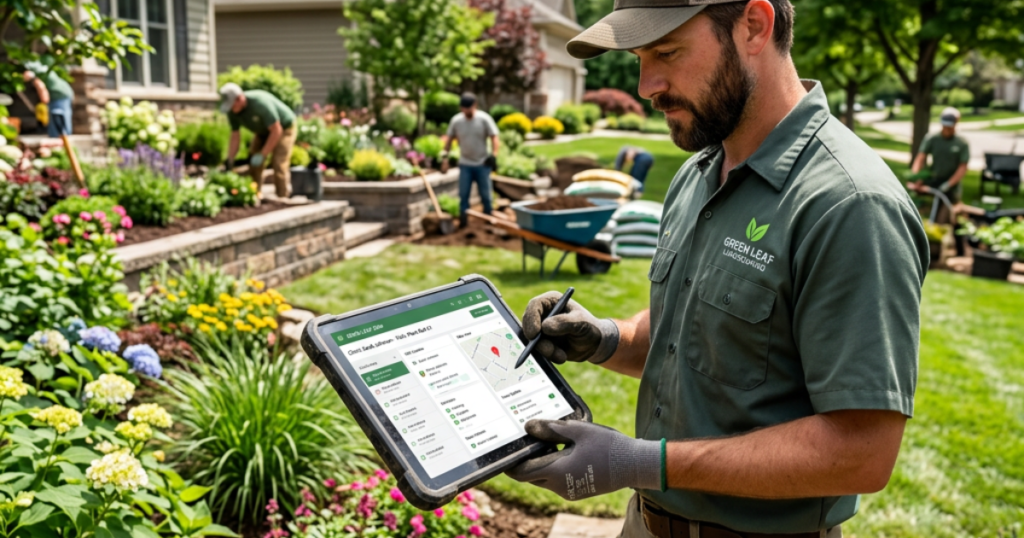
When you understand how to use AI CRM for landscapers effectively, you’re essentially adding a tireless virtual team member who tracks every customer interaction, sends follow-up messages at the right moment, flags leads who haven’t heard from you in a while, and surfaces insights like “this client segment spends 40% more when contacted before the spring season.” That kind of intelligence, delivered automatically, is what separates a $200K landscaping business from a $500K one.
Beyond revenue, AI CRM tools reduce the mental load. When a customer calls asking about their last service or wants to know if you offer irrigation installation, your AI-powered system can surface that history in seconds. You look professional, responsive, and organized — and that builds the kind of trust that turns one-time mow jobs into long-term maintenance contracts.
What to Look for in an AI CRM for Landscapers
Not every CRM tool is built with landscaping in mind, and that matters. Here are the key features you should prioritize when evaluating options:
- Job scheduling and dispatch: The ability to schedule recurring services, assign crews, and manage routes from inside the CRM saves massive amounts of time.
- Automated follow-ups: AI that triggers emails or texts after estimates, after jobs, or when customers go quiet is essential for retaining clients.
- Estimate and invoicing tools: Generating professional quotes and collecting payments should be seamless, not a second system to manage.
- Lead pipeline management: A clear visual pipeline helps you see where every prospect stands and which ones need attention.
- Seasonal campaign automation: Landscaping is seasonal. Your CRM should help you reach out at exactly the right times of year without you having to remember to do it.
- Mobile access: You’re rarely at a desk. A solid mobile app is non-negotiable for field teams.
- Integrations: Your CRM should talk to your email marketing platform, accounting software, and booking tools.
With those criteria in mind, let’s dig into the five best tools available to landscaping businesses right now.
The 5 Best AI CRM Tools for Landscapers in 2026
1. Zoho CRM
Best for: Landscapers who want a fully customizable, AI-powered CRM that scales with their business
When it comes to understanding how to use AI CRM for landscapers at a serious level, Zoho CRM sets the gold standard for small-to-mid-size businesses. Zoho’s built-in AI assistant, called Zia, does far more than just organize contacts. Zia analyzes your sales patterns, predicts which leads are most likely to convert, suggests the best time to contact a prospect, and even detects unusual activity in your pipeline that might signal a problem. For a landscaping company trying to grow without adding administrative staff, that’s extraordinarily powerful.
Zoho CRM is also one of the most flexible platforms available. You can build custom modules for landscaping-specific data — things like property size, service history, preferred contact windows, or equipment on-site — and automate workflows around those custom fields. Want to automatically send a spring lawn care reminder to every client who signed up for a maintenance plan in the last two years? Zoho can do that in a workflow you set up once and forget about. The platform integrates with Zoho Books for invoicing, Zoho Campaigns for email marketing, and hundreds of third-party tools through Zapier and native integrations.
The learning curve is real, especially if you’ve never used a full CRM before. But Zoho’s pricing is genuinely fair for what you get, and the depth of AI features grows with your plan level. For landscapers who are serious about building systems and scaling, it’s the most complete solution on this list.
Key Features
- Zia AI assistant for lead scoring, activity suggestions, and anomaly detection
- Custom modules and fields for landscaping-specific data
- Automated email and SMS workflows triggered by client behavior
- Visual sales pipeline with drag-and-drop management
- Native integration with Zoho Books, Zoho Campaigns, and 800+ third-party apps
- Mobile app with offline capability for field teams
- AI-powered email sentiment analysis to gauge customer satisfaction
Pricing
Free plan available for up to 3 users. Paid plans start at $14/user/month (Standard), with the most popular Enterprise plan at $40/user/month. A 15-day free trial is available on all paid plans.
2. Housecall Pro
Best for: Landscapers who want an all-in-one field service platform with built-in CRM, scheduling, and payments
Housecall Pro was built specifically for home service and field service businesses — and it shows. While Zoho gives you maximum flexibility, Housecall Pro gives you maximum speed. You can be up and running in a day, with job scheduling, customer records, automated follow-ups, invoicing, and payment processing all working together out of the box. For a landscaping business owner who wants results fast without customizing anything from scratch, this is the most practical option on the list.
The AI and automation features in Housecall Pro focus on the things landscapers actually need: automatic review requests sent after job completion, follow-up messages to customers who received an estimate but haven’t booked, and recurring job reminders for seasonal clients. The platform also includes a customer portal where homeowners can approve estimates, pay invoices, and book services — reducing the back-and-forth that eats up so much time. Knowing how to use AI CRM for landscapers is made much easier when the tool is designed specifically for this workflow.
Housecall Pro also includes basic pipeline management, customer tagging for segmentation, and marketing tools for re-engaging past clients. It doesn’t have the deep customization of Zoho, but for most landscaping operations under 20 employees, you simply don’t need it. The integration with QuickBooks makes accounting straightforward, and the mobile app is excellent for crews in the field.
Key Features
- Job scheduling, dispatching, and route optimization
- Automated follow-up messages after estimates and completed jobs
- Automated Google review requests post-service
- Instant online invoicing and payment processing
- Customer portal for self-service bookings and approvals
- Marketing tools for re-engaging past clients via email and postcard
- QuickBooks and Stripe integrations
Pricing
Plans start at $49/month for the Basic plan (1 user). The Essentials plan starts at $129/month and supports multiple users. A free 14-day trial is available.
3. Kit (formerly ConvertKit)
Best for: Landscapers who want to build long-term client relationships through smart email marketing automation
Kit might not be the first tool that comes to mind when you think about CRM for landscapers, but it fills a genuinely important gap: nurturing leads and past clients over time through intelligent, automated email sequences. If you’re collecting email addresses through your website, from past jobs, or via referrals, Kit gives you the tools to turn that list into a real revenue engine.
Kit’s automation features allow you to build visual workflows that send the right message at the right time based on subscriber behavior. A new lead who downloads your spring lawn care checklist gets a welcome series. A past customer who hasn’t booked in nine months gets a re-engagement sequence offering a seasonal discount. Someone who clicks the “irrigation services” link in your email gets tagged and added to a follow-up campaign for that specific service. This level of segmentation and personalization is where how to use AI CRM for landscapers intersects with smart marketing — and Kit makes it genuinely accessible.
Kit integrates smoothly with Zoho CRM, so you can use both tools in tandem: Zoho manages your sales pipeline and client records, while Kit handles the ongoing nurture campaigns that keep your landscaping business top of mind through every season. For content-forward landscapers who also publish tips, videos, or seasonal guides, Kit’s creator-friendly tools are a bonus.
Key Features
- Visual email automation builder with behavior-based triggers
- Subscriber tagging and segmentation for seasonal campaigns
- Landing pages and lead capture forms for website integration
- Broadcast emails for announcements and promotions
- Commerce tools to sell seasonal packages or consultations
- Integration with Zoho CRM, Zapier, and 100+ apps
- AI-assisted email writing and subject line suggestions
Pricing
Free plan available for up to 10,000 subscribers. The Creator plan starts at $25/month, and the Creator Pro plan starts at $50/month. Annual billing discounts available.
4. Jobber
Best for: Growing landscaping companies that need powerful job management with strong client communication tools
Jobber has become one of the most popular platforms in the home services industry, and for good reason. It combines CRM functionality with job management in a way that feels natural for landscaping businesses of all sizes. The client management side of Jobber stores detailed records including property information, service history, notes, photos from past jobs, and communication logs — everything you need to deliver a consistently professional experience.
On the AI and automation side, Jobber offers automated follow-up emails after quotes, appointment reminders, job completion surveys, and the ability to trigger re-engagement campaigns to past clients. The quote management workflow is particularly strong — you can send professional, branded quotes that clients can approve online, which dramatically speeds up the sales cycle. For landscapers learning how to use AI CRM for landscapers, Jobber’s onboarding process is one of the smoothest in the industry.
Jobber also features a client hub — similar to Housecall Pro’s customer portal — where clients can view their history, approve quotes, and pay invoices. The reporting tools give you a real-time picture of your business health, including which services are most profitable and where leads are coming from. It integrates with QuickBooks, Stripe, PayPal, and several marketing tools.
Key Features
- Client records with property details, service history, and photos
- Automated quote follow-ups and job reminders
- Online quote approval and payment collection
- Client hub for self-service access
- GPS tracking and route optimization for crews
- Business reporting and revenue dashboards
- Integration with QuickBooks, Stripe, and marketing platforms
Pricing
Plans start at $19/month (Lite, 1 user). The Core plan is $49/month, and the Connect plan (most popular) is $99/month. A free 14-day trial is available.
5. ServiceTitan
Best for: Established landscaping businesses with larger teams that need enterprise-grade AI and operations management
ServiceTitan is the heavyweight in the home services software space, and if your landscaping operation has grown to the point where you’re managing multiple crews, significant recurring revenue, and complex sales pipelines, it’s worth serious consideration. The platform is comprehensive — almost overwhelmingly so — covering CRM, dispatch, marketing automation, AI-powered call tracking, and detailed financial reporting all in one system.
The AI features in ServiceTitan go deep. The platform uses machine learning to analyze call recordings and surface leads that weren’t properly followed up on, predict customer lifetime value, and identify which marketing campaigns are actually driving revenue versus which ones just look good on paper. For a landscaping business trying to optimize how to use AI CRM for landscapers at scale, ServiceTitan offers capabilities that smaller tools simply can’t match.
The trade-off is price and complexity. ServiceTitan is one of the more expensive options on this list, and it requires a real commitment to onboarding and training. It’s best suited for landscaping businesses generating $1M+ in annual revenue who are ready to invest in serious infrastructure. If that’s you, the ROI can be substantial. If you’re earlier in your growth journey, one of the other tools on this list will serve you better.
Key Features
- AI-powered call tracking and lead recovery
- Predictive customer lifetime value modeling
- Marketing attribution across channels
- Advanced dispatch and crew management
- Customizable sales pipeline with AI recommendations
- Detailed financial and operational reporting
- Enterprise-grade integrations and API access
Pricing
Custom pricing — typically starts around $398/month for smaller teams. Contact ServiceTitan for a custom quote. Demo available on request.
Quick Comparison Table
| Tool | Best For | Starting Price | AI Features | Mobile App | Free Trial |
|---|---|---|---|---|---|
| Zoho CRM | Scalable, customizable AI CRM | Free / $14/user/mo | ★★★★★ | ✅ | 15 days |
| Housecall Pro | All-in-one field service platform | $49/month | ★★★★☆ | ✅ | 14 days |
| Kit | Email marketing & client nurture | Free / $25/month | ★★★☆☆ | ✅ | Free plan |
| Jobber | Job management & client communication | $19/month | ★★★★☆ | ✅ | 14 days |
| ServiceTitan | Enterprise landscaping operations | ~$398/month | ★★★★★ | ✅ | Demo only |
Step-by-Step: How to Use AI CRM for Landscapers
Having the right tool is only half the battle. Here’s a practical framework for actually implementing AI CRM for landscapers in your business, whether you’re starting from scratch or migrating from a spreadsheet.
Step 1: Import and Organize Your Existing Contacts
Start by importing all your existing customer data — names, addresses, phone numbers, email addresses, and notes from past jobs. Most platforms accept a simple CSV file exported from Excel or Google Sheets. Tag your contacts by segment: active maintenance clients, one-time customers, cold leads, seasonal-only customers. These tags become the foundation of every automated campaign you’ll build.
Step 2: Set Up Your Lead Pipeline
Create a visual pipeline that matches your actual sales process. For most landscaping businesses, that looks something like: New Lead → Estimate Sent → Follow-Up → Booked → Job Completed → Review Requested → Upsell Opportunity. Having this pipeline visible at a glance means you never lose track of a prospect again.
Step 3: Build Your First Automated Workflow
Start simple. Create one automation: when a customer receives an estimate and doesn’t respond within 48 hours, the system automatically sends a polite follow-up text or email. This single workflow, set up once, will recover a meaningful percentage of leads that would otherwise fall through the cracks. Once you’re comfortable, build more — a post-job review request, a spring re-engagement campaign, a referral ask after your best jobs.
Step 4: Use AI Insights to Prioritize Your Day
Tools like Zoho CRM’s Zia will start generating recommendations once you’ve been using the system for a few weeks. Pay attention to lead scores, suggested contact times, and pipeline anomalies. Let the AI tell you which five clients to call today instead of guessing — that’s the core shift in mindset that separates businesses that use CRM from businesses that benefit from it.
Step 5: Connect Your Email Marketing (Kit or Zoho Campaigns)
Integrate your CRM with an email platform so that customer segments automatically sync to campaign lists. Clients tagged as “spring cleanup” customers should automatically receive your March promotion. Clients who haven’t booked in 12 months should enter a re-engagement sequence. This is where understanding how to use AI CRM for landscapers truly compounds — each system reinforces the others, and your marketing runs on autopilot while you run your crews.
For more inspiration on how other service businesses are using AI tools to streamline customer management, check out our guide on Best AI Customer Service Tools for Landscapers in 2026. And if you’re also handling the financial side of your business, our article on Best AI Accounting Software for Contractors in 2026 covers the tools that pair beautifully with a solid CRM setup.
The Bottom Line
If you’ve been wondering how to use AI CRM for landscapers to actually move the needle in your business, the answer comes down to choosing the right tool for your current stage and committing to using it consistently.
Our top recommendation is Zoho CRM. It offers the deepest AI capabilities at a price point that’s accessible for small landscaping businesses, with the flexibility to grow as your operation expands. Zia’s predictive intelligence, combined with Zoho’s powerful automation workflows and extensive integrations, makes it the most complete solution for landscapers who are serious about using technology as a competitive advantage. Start with the free plan, learn the system, and upgrade as your needs grow.
Housecall Pro is our top pick if you want something purpose-built for field service businesses and running the same day you sign up. The combination of job management, automated follow-ups, review generation, and payment processing in one clean interface makes it the fastest path to a professional, organized operation for most landscaping businesses. If you’re coming from no system at all, Housecall Pro will feel like a revelation.
Kit deserves a place in your stack alongside your primary CRM — specifically for the email nurture campaigns that turn past customers into repeat clients and referral sources. It’s affordable, powerful, and integrates well with both Zoho and other platforms, making it an easy addition to your marketing workflow. Jobber is also an excellent choice if field-specific job management is your top priority, while ServiceTitan is worth evaluating if your business has scaled past the $1M annual revenue mark and you need enterprise-level AI tools.
The bottom line: any one of these tools will put you miles ahead of running your landscaping business from memory and a spreadsheet. The best AI CRM for landscapers is ultimately the one you’ll actually use — so pick the one that fits your workflow and start today.
Frequently Asked Questions
What is an AI CRM and how is it different from regular CRM software?
A traditional CRM is essentially a smart database — it stores customer information and helps you track interactions. An AI CRM goes further by analyzing that data to make predictions and automate actions. For example, an AI CRM might notice that a customer who typically books spring cleanup every year hasn’t responded yet and automatically trigger a reminder campaign, or it might score your incoming leads and tell you which ones are most likely to convert based on historical patterns. The AI takes routine decision-making off your plate so you can focus on running your landscaping business.
Is AI CRM software affordable for a small landscaping business?
Absolutely. Tools like Zoho CRM and Kit both offer free plans, and paid plans often start under $30/month. Even Housecall Pro and Jobber — which are more full-featured platforms — start at $49 and $19/month respectively. Compared to the revenue you can recover from better lead follow-up and client retention alone, even a $100/month CRM platform typically delivers a significant return on investment. Many landscaping business owners find that a single recovered client relationship pays for months of software costs.
Can I use AI CRM software if I’m not tech-savvy?
Yes — this is exactly why tools like Housecall Pro and Jobber exist. They’re designed specifically for trades and field service business owners who want powerful results without a steep learning curve. Most platforms offer step-by-step onboarding guides, video tutorials, and live chat support. If you can use a smartphone to schedule a job, you can learn to use a modern AI CRM. Start with a free trial, use the onboarding resources, and don’t try to set up every feature on day one. Build gradually, starting with the one or two automations that will make the biggest immediate difference.
How do I use AI CRM to get more repeat business from existing landscaping clients?
This is one of the highest-ROI use cases for AI CRM in landscaping. Start by tagging all your past clients by the services they’ve received and when they last booked. Then build automated re-engagement campaigns that fire when a client hasn’t booked in a set period — say, 10 or 12 months. Combine that with seasonal campaigns (spring lawn care, fall cleanup, holiday lighting) that go out to segmented lists based on service history. Add a post-job review request workflow to build your Google rating, which drives more inbound leads. Over time, your CRM becomes a systematic engine for keeping past clients engaged without any manual effort on your part.
What’s the best AI CRM for a solo landscaper just starting out?
For a solo operator just getting started, we’d recommend either Zoho CRM’s free plan (if you want to invest time in learning a powerful, scalable system) or Jobber’s Lite plan at $19/month (if you want something ready to go immediately that covers job management and client records together). Housecall Pro is also a strong option if you want built-in marketing automation from day one. The key is to start using something now — even basic contact tracking and one automated follow-up message will put you ahead of most small landscaping competitors who still rely entirely on memory and phone calls.
Affiliate Disclosure: This article contains affiliate links. If you click a link and make a purchase or sign up for a service, we may earn a commission at no additional cost to you. We only recommend tools we have genuinely researched and believe provide real value to small business owners. Our editorial opinions are independent and are not influenced by affiliate relationships.