The best AI appointment reminder tool for salons is ManyChat, thanks to its powerful multi-channel automation across Instagram, Facebook Messenger, SMS, and WhatsApp that lets you send personalized reminders without lifting a finger. Tidio is the strongest all-in-one alternative, combining live chat, AI chatbots, and automated reminders in one affordable dashboard. For salons already using scheduling software, Zoho Bookings integrates reminders natively into a full business management suite.
You booked a full Thursday. By Wednesday afternoon, two clients have ghosted your confirmation texts and a third just asked “wait, was that today?” No-shows cost the average hair salon between $150 and $400 per week in lost revenue. Multiply that by 52 weeks and you’re looking at a painful chunk of income evaporating because of forgotten appointments. The good news? Learning how to use AI appointment reminders for salons is one of the fastest, lowest-effort fixes available to beauty business owners right now — and the tools to do it cost far less than a single lost booking.
In this guide, you’ll learn exactly how AI reminder systems work, which tools are worth your money, and how to set them up even if you’ve never touched automation software before.
Table of Contents
- How Do AI Appointment Reminders for Salons Actually Work?
- Why Should Salon Owners Care About AI Reminders?
- 1. ManyChat — Best for Multi-Channel Messaging Automation
- 2. Tidio — Best for All-in-One Chat + Reminder Automation
- 3. Zoho Bookings — Best for Salons Wanting a Full Scheduling Suite
- 4. GlossGenius — Best for Beauty-Specific Reminder Workflows
- 5. Fresha — Best Free Option for Independent Stylists
- Quick Comparison Table
- Step-by-Step: How to Set Up AI Appointment Reminders for Your Salon
- The Bottom Line
- Frequently Asked Questions
How Do AI Appointment Reminders for Salons Actually Work?
AI appointment reminder systems connect to your booking calendar and automatically trigger personalized messages — via SMS, email, WhatsApp, or social media DM — at pre-set intervals before each appointment. The “AI” layer goes beyond basic scheduled texts: modern tools use natural language processing to personalize message tone, detect client responses (like “I need to reschedule”), and route those replies to the right action automatically. Some platforms even analyze booking patterns to identify which clients are most likely to no-show and send them an extra nudge.
Here’s a typical automated flow for a salon:
- 72 hours before: A friendly confirmation message is sent via WhatsApp or SMS
- 24 hours before: A reminder with a one-click confirm or reschedule link
- 2 hours before: A final “we’re looking forward to seeing you” message
- After the appointment: An automatic follow-up asking for a review or rebooking
The entire sequence runs without you touching a single button. That’s the power of AI appointment reminders for salons.
Why Should Salon Owners Care About AI Reminders?
Because the math is brutal when you don’t use them. A stylist with a $75 average ticket price and just two no-shows per week loses $7,800 per year — and that’s before factoring in product costs and chair time. Studies consistently show that automated appointment reminders reduce no-show rates by 30–50%. On top of that, clients who receive personalized reminders are significantly more likely to rebook, tip generously, and refer friends.
If you’re already using AI tools in your business — for instance, if you’ve explored how to use AI automation for hair salons — appointment reminders are one of the simplest, highest-ROI workflows you can add. And if you’re brand new to automation, this is the perfect place to start.
1. ManyChat — Best for Multi-Channel Messaging Automation
Best for: Salons with an active social media presence who want to send appointment reminders via Instagram DM, Facebook Messenger, SMS, and WhatsApp from one platform.
ManyChat is the most powerful multi-channel messaging automation platform available to small business owners, and it’s a game-changer for salons that already attract clients through Instagram or Facebook. Rather than sending a generic SMS from an unknown number, ManyChat lets you send appointment reminders directly through the social channels your clients already use — making messages feel personal, not robotic.
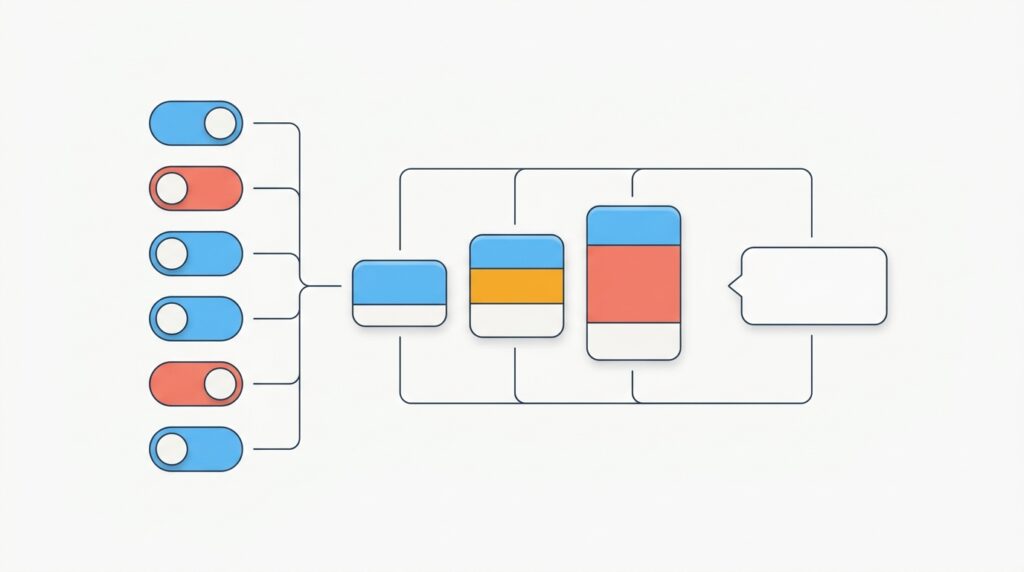
Here’s what makes ManyChat exceptional for AI appointment reminders for salons: its visual Flow Builder lets you design entire reminder sequences without writing a single line of code. You drag and drop triggers, delays, and message blocks to create a multi-step automation. When a client books through your booking link or DMs a keyword (like “BOOK”), ManyChat can automatically enroll them in a reminder sequence, send confirmation messages, detect their replies, and even route rescheduling requests back to you.
ManyChat also integrates natively with tools like Calendly, Google Sheets, and Zapier, so if your salon already uses a scheduling system, you can connect it and trigger reminders automatically from new booking data. The AI-powered Smart Delay feature adjusts message timing intelligently based on when appointments are scheduled.
Key Features
- Visual Flow Builder for no-code automation sequences
- Instagram DM, Facebook Messenger, SMS, WhatsApp, and email reminders
- Keyword triggers (clients text a word to opt into reminders)
- Integration with Calendly, Google Sheets, Zapier, and more
- AI-powered reply detection and conversation routing
- Broadcast messages for promotions and last-minute openings
- Audience segmentation by service type, stylist, or last visit date
How Much Does ManyChat Cost for a Small Salon?
ManyChat offers a free plan that covers up to 1,000 contacts on Instagram and Facebook Messenger — enough for many solo stylists to get started. The Pro plan starts at $15/month for up to 500 contacts and scales based on contact count, adding SMS and email capabilities. For a salon with a list of 1,000–2,000 clients, expect to pay roughly $25–$45/month. There’s no long-term contract required.
2. Tidio — Best for All-in-One Chat + Reminder Automation
Best for: Salon owners who want live chat on their website AND automated appointment reminders in one platform, without juggling multiple tools.
Tidio is the most versatile all-in-one customer communication platform in this space, combining a live chat widget, AI chatbot (called Lyro), email automation, and triggered messaging into a single, beginner-friendly dashboard. For salons, this means you can use Tidio to answer booking questions in real time on your website AND send automated appointment reminders — all without switching between apps.
Tidio’s Lyro AI bot is particularly impressive for service businesses. It can answer common client questions (“How long does a balayage take?”, “Do you offer extensions?”), collect booking details, and then automatically enroll clients into a reminder workflow. The bot handles conversations 24/7, which means a client who discovers your salon at 11 PM on a Sunday can book, receive a confirmation, and get added to your reminder sequence while you sleep.
For AI appointment reminders specifically, Tidio lets you set up automated email and on-site messaging sequences triggered by booking events. While it doesn’t natively send SMS like ManyChat, it integrates with Zapier and can push reminder data to SMS platforms. Its email reminder builder is clean and intuitive, with pre-built templates designed for service businesses.
Tidio also gives salon owners a unified inbox that combines website chat, email, and Messenger conversations — so when a client replies to a reminder saying they need to cancel, you see it instantly in one place rather than hunting through different apps.
Key Features
- Lyro AI chatbot with natural language understanding (handles up to 70% of queries automatically)
- Live chat widget for salon websites
- Automated email reminder sequences
- Triggered messaging based on booking events
- Unified inbox (chat, email, Messenger)
- Pre-built templates for service businesses
- Zapier integration for SMS and third-party tools
- Mobile app for on-the-go management
How Much Does Tidio Cost for a Salon?
Tidio offers a free plan that includes live chat and basic automation for up to 50 conversations per month — ideal for brand new or very small salons. Paid plans start at $29/month (Starter), which gives you 100 Lyro AI conversations and full automation capabilities. The Growth plan at $59/month includes 250 AI conversations and removes Tidio branding. For most single-location salons, the Starter plan is more than sufficient.
3. Zoho Bookings — Best for Salons Wanting a Full Scheduling Suite
Best for: Multi-stylist salons or spa owners who want appointment scheduling, reminders, payments, and CRM all in one ecosystem.
Zoho Bookings is a dedicated online scheduling platform with built-in AI appointment reminder capabilities, and it stands out from pure-play reminder tools because it handles the entire booking lifecycle — from the client self-scheduling to automated reminders to post-visit follow-ups. If you’ve been using a basic calendar and manual texts, Zoho Bookings represents a major upgrade in one move.
The platform sends automated reminders via both email and SMS at customizable intervals before appointments. You can configure multiple reminder touchpoints (for example, 48 hours, 24 hours, and 2 hours before), personalize the message content for each service type, and include one-click rescheduling links so clients can adjust without calling you. The AI layer learns from booking patterns and flags high-risk no-show scenarios for your attention.
Zoho Bookings connects seamlessly with Zoho CRM, Zoho Campaigns for email marketing, and Google/Outlook calendars, making it one of the most integrated options available. For salons with multiple staff members, it supports individual stylist calendars with separate booking pages — a feature that solo-stylist tools like Fresha and GlossGenius handle less elegantly at scale.
Key Features
- Self-booking portal with branded booking page
- Automated email and SMS reminders at multiple intervals
- One-click reschedule and cancel links in reminders
- Multi-staff calendar support
- Payment collection at booking
- Native integration with Zoho CRM and Zoho Campaigns
- Google Meet and Zoom integration for virtual consultations
- Custom reminder messages per service type
How Much Does Zoho Bookings Cost?
Zoho Bookings starts at $6/staff member/month on the Basic plan and $9/staff member/month on the Professional plan, which includes the full suite of reminder customization and integrations. There’s also a free plan for a single user with limited features. For a two-chair salon, you’d pay as little as $18/month — making this one of the most affordable full-scheduling solutions available.
4. GlossGenius — Best for Beauty-Specific Reminder Workflows
Best for: Independent stylists, estheticians, and nail techs who want a salon-native platform with reminders, payments, and client management built specifically for beauty professionals.

GlossGenius is purpose-built for the beauty industry, which means every feature — including its AI appointment reminder system — has been designed with salons, spas, and freelance stylists in mind. Unlike general-purpose tools that need to be configured for your industry, GlossGenius works out of the box with reminder templates already written in beauty-appropriate language, deposit collection to reduce no-shows, and a client card system that tracks visit history, formulas, and preferences.
The platform sends automated SMS and email reminders, with clients able to confirm or request reschedules directly from the message. GlossGenius also offers a smart cancellation policy feature that automatically enforces deposit forfeiture for last-minute cancellations — arguably the most powerful no-show deterrent available. Combine that with well-timed reminders and you’ve created a two-layer protection system for your schedule.
Where GlossGenius falls short compared to ManyChat or Tidio is in multi-channel flexibility. It focuses on SMS and email only and doesn’t offer Instagram DM or WhatsApp reminders. It also lacks a live chat component for your website. But for a solo stylist or small team that wants a single app for everything beauty-related, it’s the most frictionless option in this list.
Key Features
- Automated SMS and email appointment reminders
- Smart deposit collection to deter no-shows
- Cancellation policy enforcement with automatic deposit forfeiture
- Client cards with formula and preference history
- Built-in payment processing (card reader + app)
- Branded booking page and website builder
- Marketing tools for win-back campaigns
- Team scheduling for multi-staff salons
How Much Does GlossGenius Cost?
GlossGenius charges a flat rate of $24/month (Standard) or $48/month (Gold), with no per-transaction fees beyond standard card processing rates of 2.6%. The Gold plan adds priority client rebooking features and advanced reporting. There’s a 14-day free trial available. For a solo stylist, $24/month covers the entire business management stack — scheduling, reminders, payments, and marketing.
👉 Try GlossGenius here — glossgenius.com
5. Fresha — Best Free Option for Independent Stylists
Best for: Budget-conscious solo stylists or small salon teams who want free automated appointment reminders with no monthly subscription fee.
Fresha is the only truly free salon management platform with built-in AI appointment reminders — and it’s not a stripped-down freebie. Fresha’s free plan includes unlimited appointments, staff members, and client records, with automated email and SMS reminders included at no monthly cost. The company monetizes through optional paid marketing tools and a 2.19% + 20¢ payment processing fee, which means if you’re not using their payment system, you pay literally nothing.
The automated reminder system in Fresha is solid. It sends pre-appointment notifications at configurable intervals, includes one-click confirmation links, and follows up post-visit with review request messages. The platform also features a “Smart Pricing” tool that automatically offers discounts during your slow periods to fill gaps — an AI-driven revenue optimization feature you won’t find in most reminder-only tools.
The tradeoff with Fresha is customization. Reminder messages are somewhat templated and less flexible than ManyChat’s Flow Builder or Tidio’s email designer. You also won’t get Instagram DM or WhatsApp reminders. But for an independent stylist just getting started with automation, or a salon owner who can’t justify a monthly subscription right now, Fresha delivers extraordinary value at zero cost.
Key Features
- Free automated email and SMS appointment reminders
- Unlimited appointments, clients, and staff on the free plan
- One-click client confirmation and reschedule links
- Post-visit review request automation
- Smart Pricing for off-peak slot promotion
- Online booking widget embeddable on your website
- Built-in POS and payment processing
- No monthly subscription fee
How Much Does Fresha Cost?
Fresha’s core platform — including automated appointment reminders — is completely free, with no monthly subscription. Optional paid add-ons include “Blast Marketing” campaigns starting at around $20 per campaign for promotional SMS/email sends. Payment processing is charged at 2.19% + 20¢ per transaction. For salons using their own payment processor, Fresha is genuinely $0/month.
👉 Try Fresha here — fresha.com
Quick Comparison Table: AI Appointment Reminder Tools for Salons
| Tool | Best For | Starting Price | Channels | Free Plan? | Ease of Use |
|---|---|---|---|---|---|
| ManyChat | Social-savvy salons | $15/mo | IG, FB, SMS, WhatsApp, Email | ✅ Yes (1,000 contacts) | Medium |
| Tidio | Chat + automation combo | $29/mo | Email, Web Chat, Messenger | ✅ Yes (50 conv/mo) | Easy |
| Zoho Bookings | Multi-staff salons | $6/staff/mo | Email, SMS | ✅ Yes (1 user) | Medium |
| GlossGenius | Beauty-native experience | $24/mo | SMS, Email | ❌ (14-day trial) | Very Easy |
| Fresha | Budget-zero operations | $0/mo | SMS, Email | ✅ Yes (full features) | Very Easy |
Step-by-Step: How to Set Up AI Appointment Reminders for Your Salon
Ready to stop losing money to no-shows? Here’s a practical setup guide using ManyChat as the primary example — the same logic applies to whichever tool you choose.
Step 1: Connect Your Booking System
Link your existing calendar or scheduling tool to your reminder platform. In ManyChat, this is done via the Integrations tab, where you can connect Calendly, Google Calendar, or use Zapier to bridge with salon-specific software like Vagaro or Booksy.
Step 2: Choose Your Channels
Decide which channels your clients actually use. If 80% of your clients found you on Instagram, prioritize Instagram DM reminders in ManyChat. If your client base skews older, SMS and email may perform better. You can run multiple channels simultaneously.
Step 3: Build Your Reminder Sequence
In ManyChat’s Flow Builder, create a sequence with these touchpoints:
- Confirmation message: Sent immediately after booking
- 48-hour reminder: “Hey [Name], just a reminder your [Service] appointment with [Stylist] is in 2 days!”
- 24-hour reminder: Includes a one-click confirm or reschedule link
- 2-hour reminder: Light and warm — “We’re getting ready for you!”
Step 4: Add a No-Show Protection Layer
Enable deposit collection in your booking tool (GlossGenius and Fresha both support this). Mention the deposit policy in your confirmation message so clients know there’s a financial commitment. This one step alone can cut no-shows by 30–40%.
Step 5: Set Up Post-Visit Automation
After the appointment, trigger a follow-up message asking for a Google review or offering a rebooking discount. This closes the loop and drives repeat business — turning your AI appointment reminder system into a full client retention engine.
Step 6: Monitor and Optimize
Check your reminder open rates and confirmation rates weekly. Most platforms show you who confirmed, who didn’t respond, and who rescheduled. Use that data to adjust your timing and message tone.
If you want to see how AI automation plays out across other areas of your salon business, our guide on the best AI scheduling software for hair salons pairs perfectly with this workflow.
The Bottom Line
If you take one thing from this guide, let it be this: every day you’re not using AI appointment reminders for your salon, you’re leaving money on the table and spending mental energy on manual follow-up that a $15/month tool could handle for you.
ManyChat is our top pick — and it’s not close. No other tool gives salon owners the ability to reach clients where they actually spend time (Instagram, WhatsApp, Messenger) with automated, personalized reminder sequences that feel genuinely conversational rather than robotic. The visual Flow Builder makes setup achievable for non-technical users, the free plan lets you test before you commit, and the multi-channel reach means your reminders actually get seen. If you run Instagram as part of your marketing and want reminders that feel like a real person sent them, ManyChat is unmatched.
Tidio is our runner-up and the best choice if you want a single tool that handles your website’s live chat, AI bot conversations, AND email reminder automation. It’s easier to configure than ManyChat for pure email sequences and is particularly powerful for salons that get a lot of inquiries through their website before booking. The Lyro AI bot’s ability to answer client questions 24/7 and then hand them off to a booking link is a genuine time-saver.
For salons that want beauty-specific workflows without any configuration headaches, GlossGenius is the most elegant out-of-the-box experience. And if budget is the primary constraint, Fresha’s free plan delivers real automated reminders at zero monthly cost — a remarkable offer for bootstrapped stylists.
Frequently Asked Questions
Can I use AI appointment reminders for my salon if I don’t have a website?
Yes, absolutely. Tools like ManyChat and Tidio work through social media and direct messaging channels, so you don’t need a website to start sending automated appointment reminders. ManyChat, for example, connects directly to your Instagram and Facebook business profiles, letting you trigger reminder sequences from DMs or post comments without any website involvement.
How much do AI appointment reminder tools cost for a small salon?
Costs range from $0 (Fresha) to roughly $15–$48/month for platforms like ManyChat, Tidio, and GlossGenius. Most tools charge based on contact count or conversation volume rather than a flat fee, so a small salon with fewer than 500 active clients can typically stay in the $15–$29/month range. Many platforms offer free trials or free-tier plans so you can test before committing.
Will automated appointment reminders feel impersonal to my clients?
Not if they’re set up correctly. Modern AI reminder tools like ManyChat use client name personalization, service-specific language, and stylist name tags to make messages feel individually written. Many salon owners report that clients don’t realize the reminders are automated — they think the salon owner personally texted them, which actually strengthens the relationship. Using a conversational tone and your salon’s personality in the message copy is key.
Which AI appointment reminder tool is easiest for a non-tech-savvy salon owner?
GlossGenius and Fresha are the easiest tools in this roundup for non-technical users, because both are purpose-built for beauty professionals and come with pre-configured reminder templates that work from day one. ManyChat has a slightly steeper learning curve but offers far more customization once you’re comfortable with its Flow Builder. Tidio falls in the middle — its interface is clean and beginner-friendly, especially for email-based reminders.
How many reminder messages should I send before each appointment?
Most salon automation experts recommend a three-message sequence: a confirmation immediately after booking, a reminder 24–48 hours before the appointment, and a final nudge 2–4 hours before. Research from booking platforms shows that three-touch sequences reduce no-shows by up to 50% compared to a single reminder. Sending more than three reminders before a single appointment risks annoying clients and increasing opt-outs, so stick to three as your baseline.
Affiliate Disclosure: This article contains affiliate links. If you click a link and make a purchase or sign up for a service, we may earn a commission at no additional cost to you. We only recommend tools we have genuinely researched and believe provide real value to small business owners. Our editorial opinions are independent and are not influenced by affiliate relationships.