The best AI invoicing software for plumbers in 2026 is Zoho Books, thanks to its plumber-friendly automation, real-time job-to-invoice workflows, and unbeatable value at its price point. Pabbly is the strongest choice for plumbers who want to automate invoice delivery across multiple apps without paying per-automation, and Housecall Pro is ideal for plumbing businesses that want field invoicing baked directly into their dispatch and scheduling workflow.
You just wrapped a three-hour emergency call at 11 PM, your hands smell like PVC cement, and the last thing you want to do is sit down and type up an invoice. Yet the longer you wait, the longer you wait to get paid — and for a small plumbing business running on tight margins, that gap between job completion and cash in the bank can genuinely hurt. The good news is that AI invoicing software has gotten smart enough to close that gap almost entirely. The right tool can auto-generate invoices from job notes, send payment reminders without you lifting a finger, flag overdue accounts, and even predict which customers are most likely to pay late. This guide breaks down the five best options available in 2026 so you can stop chasing money and start running your business.

Table of Contents
- Why Plumbers Need AI Invoicing in 2026
- What to Look for in AI Invoicing Software for a Plumbing Business
- 1. Zoho Books — Best Overall AI Invoicing for Plumbers
- 2. Pabbly — Best for Invoice Automation Across Multiple Apps
- 3. Housecall Pro — Best for Field-Based Invoice Generation
- 4. FreshBooks — Best for Solo Plumbers and Sole Traders
- 5. Jobber — Best for Growing Plumbing Crews
- Quick Comparison Table
- The Bottom Line
- Frequently Asked Questions
Why Do Plumbers Need AI Invoicing Software in 2026?
According to SCORE, small service businesses lose an average of 14 days per invoice cycle chasing late payments manually. For a plumbing company handling 10–30 jobs a week, that administrative drag compounds fast. AI invoicing software eliminates the manual steps — it pulls labor hours, parts used, and job details straight into a formatted invoice, fires it to the client the moment the job is marked complete, and then runs automated follow-ups until the payment lands. You get paid faster, you look more professional, and your evenings belong to you again.
If you’re already thinking about broader operational efficiency, check out our guide to the Best AI Automation Tools for Plumbers in 2026 — invoicing is just one piece of a much larger automation puzzle that can transform your workday.
What Should You Look for in AI Invoicing Software for a Plumbing Business?
The best AI invoicing software for plumbers needs to do more than generate a PDF. Look for these must-have capabilities before you commit to any platform:
- Auto-invoice generation from job records: The tool should pull in job notes, time tracking, and materials automatically — not require double data entry.
- Mobile-first design: You and your techs are in the field, not at a desk. The invoicing app must work fast on a smartphone with a spotty connection.
- Smart payment reminders: AI-powered reminders that adapt timing based on client payment history, rather than generic fixed-interval nudges.
- Stripe/card/ACH payment processing: Clients should be able to pay directly from the invoice link — friction kills collection speed.
- Tax and line-item handling: Plumbers often bill separately for labor, parts, and call-out fees. The software must handle multi-line invoices with applicable tax rates cleanly.
- Integration with accounting software: Every paid invoice should sync automatically to QuickBooks, Xero, or your accounting platform of choice.
1. Zoho Books — Best Overall AI Invoicing Software for Plumbers
Best for: Small-to-medium plumbing businesses that want a full AI-powered accounting and invoicing suite in one affordable platform.
Zoho Books is the top pick for AI invoicing software for plumbers in 2026 because it combines genuine AI automation — not just basic templates — with accounting features that actually matter to a trades business. The platform’s AI assistant can auto-generate invoice drafts from timesheet and project data, flag anomalies in your billing patterns, and send context-aware payment reminders based on each client’s payment history. For plumbers, this means an invoice can be ready to send the moment a job is closed out, without any manual data entry.
What makes Zoho Books stand apart from generic invoicing apps is the depth of its workflow engine. You can set rules that automatically convert an estimate into an invoice upon job approval, apply recurring billing for maintenance contract customers, and route overdue invoices to a collections workflow — all without touching the software. The customer portal lets clients view their invoice history, download receipts, and pay online in one click. Zoho Books also syncs seamlessly with the broader Zoho ecosystem, including Zoho CRM and Zoho Bookings, which makes it especially powerful if you’re already using Zoho to manage customer relationships or appointment scheduling.
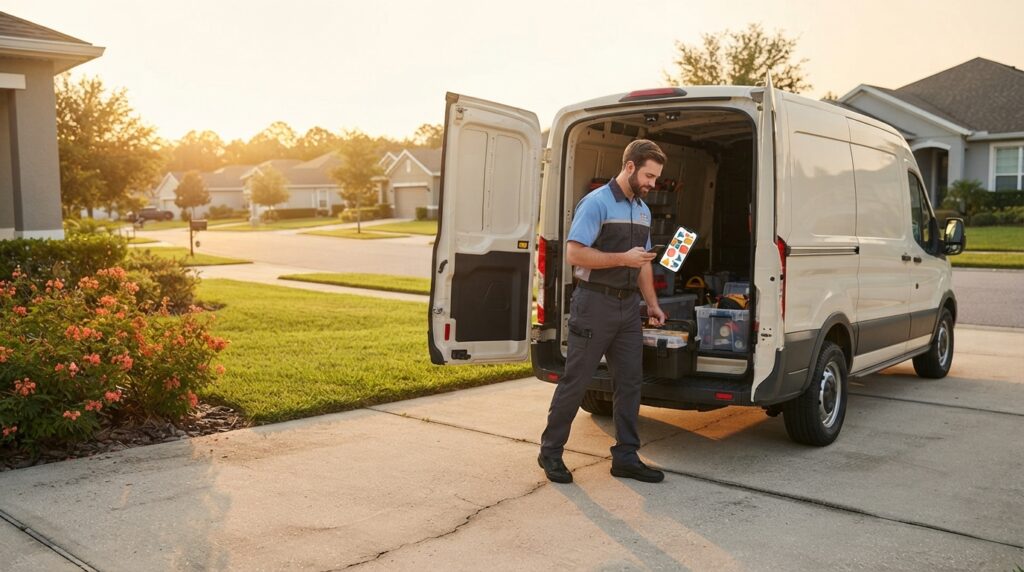
The mobile app is genuinely field-ready — your techs can mark a job complete on-site, and the invoice goes out automatically before they’ve even packed the van. For a plumbing business dealing with fluctuating material costs, Zoho Books’ inventory tracking keeps parts costs accurately reflected in every invoice, protecting your margins without extra math.
Key Features
- AI-powered invoice generation from timesheets and job records
- Automated payment reminders with adaptive scheduling
- Recurring invoices for service contracts and maintenance plans
- Client self-service payment portal
- Inventory and expense tracking integrated into invoicing
- Multi-currency and multi-tax support
- Integrates with Stripe, PayPal, Razorpay, and bank feeds
- Full Zoho ecosystem integration (CRM, Bookings, Projects)
- Offline-capable mobile app for iOS and Android
Pricing
Zoho Books offers a free plan for businesses with revenue under $50K/year. Paid plans start at $20/month (Standard) and scale to $70/month (Professional) and $150/month (Premium). All paid plans include automated workflows and the AI assistant features. There’s a 14-day free trial on all paid tiers.
2. Pabbly — Best for Invoice Automation Across Multiple Plumbing Apps
Best for: Plumbers using multiple software tools who want to automate invoice creation and delivery across their entire tech stack without paying per-task fees.
Pabbly is a workflow automation platform that includes Pabbly Subscriptions and Pabbly Connect — together, they make an exceptionally cost-effective engine for automating your invoicing pipeline across every app your plumbing business already uses. Unlike Zapier, which charges per task, Pabbly Connect offers unlimited automation tasks on every paid plan. That pricing model is genuinely transformative for a plumbing business that might process hundreds of job completions per month.
Here’s the practical use case: a plumber marks a job complete in Jobber or Housecall Pro → Pabbly Connect picks up that trigger → it creates an invoice in Zoho Books or QuickBooks → sends it to the client via email → logs the transaction in a Google Sheet for record-keeping → and notifies your accountant in Slack, all without a single manual step. Pabbly Subscriptions handles recurring billing beautifully for maintenance contract customers, with AI-assisted dunning sequences that automatically retry failed payments and escalate reminders over time.
Pabbly is not a standalone invoicing tool, which is worth being clear about — you’ll pair it with a primary invoicing platform. But as the glue layer that makes your invoicing automatic across your whole workflow, it is unmatched at its price point. For plumbing businesses already investing in software and tired of manual hand-offs between apps, Pabbly Connect pays for itself within the first month.
Key Features
- Unlimited automation tasks (no per-task fees) on all paid plans
- 600+ app integrations including Jobber, QuickBooks, Zoho Books, Stripe, and Gmail
- Multi-step workflows with conditional logic
- Pabbly Subscriptions for recurring invoice and payment management
- Automated dunning sequences for failed and overdue payments
- Webhook support for custom plumbing-specific app integrations
- Built-in email verification and form tools
Pricing
Pabbly Connect starts at $19/month (billed annually) for unlimited workflows and tasks. Pabbly Subscriptions starts at $19/month. A bundled Pabbly All-In-One plan is available at $49/month billed annually, covering all Pabbly products — excellent value for a growing plumbing business. A free trial is available.
3. Housecall Pro — Best for Field-Based Invoice Generation
Best for: Plumbing businesses that dispatch multiple technicians and need invoicing built directly into their scheduling and dispatch workflow.
Housecall Pro is purpose-built for home service businesses — including plumbers — and its invoicing functionality is designed around the reality of field work rather than an office setting. The moment a technician marks a job complete in the Housecall Pro mobile app, an invoice is generated from the job details (labor, parts, service codes) and sent to the customer automatically. Customers can pay on-site via card reader, or pay from their phone before the tech has even driven away. That immediacy is a massive cash flow advantage for plumbing businesses.
The AI features in Housecall Pro have grown significantly in 2025–2026. The platform now includes AI-assisted price book suggestions, smart upsell prompts that techs can offer at the point of invoice (“Drain camera inspection — add for $89?”), and automated follow-up sequences for customers who don’t pay within 24 hours. The two-way text messaging feature lets customers confirm, pay, and review invoices by text — meeting them where they actually are rather than hoping they open an email.
Housecall Pro also connects to QuickBooks Online for seamless accounting sync, and the GPS-tracked dispatch board means every invoice is anchored to a verified job location and time. For multi-truck plumbing operations, the team scheduling and job costing features make Housecall Pro as much an operations platform as an invoicing one.
Key Features
- Auto-invoice generation from dispatched and completed jobs
- In-field card payment processing (tap, chip, swipe)
- AI-assisted price book and upsell prompts
- Two-way SMS invoicing and payment collection
- Automated payment reminders via text and email
- QuickBooks Online sync
- GPS-verified job records attached to every invoice
- Customer history, service records, and photo documentation
Pricing
Housecall Pro starts at $79/month for a single user (Basic plan). The Essentials plan runs $189/month for up to 5 users. A MAX plan with custom pricing is available for larger plumbing operations. A 14-day free trial is available with no credit card required.
4. FreshBooks — Best AI Invoicing for Solo Plumbers and Sole Traders
Best for: Self-employed plumbers or sole traders who want clean, professional invoicing with AI-assisted time tracking and expense management without the complexity of a full accounting suite.
FreshBooks has long been the go-to invoicing platform for independent contractors, and its 2025–2026 AI upgrades have made it notably smarter for tradespeople. FreshBooks’ AI assistant can now categorize expenses automatically from uploaded receipts (photograph your parts receipts on-site), suggest line items based on similar past jobs, and draft invoice summaries in plain language that clients actually understand — no jargon, no confusion, just clear bills that get paid.
For a solo plumber, FreshBooks’ time tracking integration is particularly useful. Log your hours in the mobile app, and FreshBooks calculates the invoice total at your configured rate, adds any expenses or materials logged during the job, and produces a polished, branded invoice ready to send. The client-facing invoice portal is visually clean and mobile-optimized, which matters when you’re billing homeowners who mostly use smartphones.
FreshBooks also offers automated late payment fees — you can configure the software to add a percentage fee to invoices that go past 30 days, which serves as both an incentive for early payment and a passive revenue protection mechanism. It is the most user-friendly option in this roundup for non-technical plumbers who just want something that works without a learning curve.
Key Features
- AI-assisted line item suggestions from job history
- Automatic receipt scanning and expense categorization
- Time tracking integrated into invoice calculation
- Automated late payment fees and reminders
- Clean, mobile-optimized client payment portal
- Recurring invoices for maintenance contracts
- Bank reconciliation and basic P&L reporting
- Integrations with Stripe, PayPal, and bank feeds
Pricing
FreshBooks starts at $19/month (Lite, up to 5 clients). The Plus plan is $33/month (up to 50 clients), and the Premium plan is $60/month (unlimited clients). A 30-day free trial is available. All plans include AI features and the mobile app.
5. Jobber — Best AI Invoicing Software for Growing Plumbing Crews
Best for: Plumbing businesses with 2–15 technicians that need invoicing, scheduling, quoting, and client management tightly integrated in a single scalable platform.
Jobber is one of the most widely used field service management platforms among plumbing contractors, and its invoicing features have become increasingly AI-powered in recent update cycles. Jobber’s AI tools can automatically generate follow-up invoices from completed jobs, create quote-to-invoice conversion workflows, and flag clients with overdue balances before they become a collections problem. The platform’s “Jobber Copilot” AI assistant helps you draft professional invoice messages, respond to client inquiries, and even suggest pricing adjustments based on your job cost history.
For a growing plumbing business, Jobber’s real value is the end-to-end workflow: a customer requests service → you send a quote → they approve it → the job is scheduled and dispatched → your tech completes it → an invoice is auto-generated and sent. Every step is connected, and every piece of data flows forward automatically. No re-entering client details, no retyping addresses, no copy-pasting job notes into a separate invoice app.
Jobber also includes a client hub where homeowners can approve quotes, view job history, and pay invoices online — which reduces the back-and-forth that slows down payment. Its batch invoicing feature lets office managers send out dozens of invoices in one click at end of day, and the reporting dashboard shows revenue by technician, job type, and period — useful management data for a scaling operation.
Key Features
- Jobber Copilot AI assistant for invoice drafting and client communication
- Quote-to-invoice automated workflow
- Batch invoicing for end-of-day processing
- Client hub for online quote approval and invoice payment
- Overdue balance flagging and automated follow-up
- Job costing and technician performance reporting
- QuickBooks and Xero sync
- Scheduling, dispatch, and GPS routing integrated
Pricing
Jobber’s Core plan starts at $49/month (1 user). The Connect plan runs $149/month (up to 5 users), and Grow is $299/month (up to 15 users). A 14-day free trial is available. AI Copilot features are included on Connect and Grow tiers.
Quick Comparison: Best AI Invoicing Software for Plumbers in 2026
| Tool | Best For | Starting Price | AI Features | Field Mobile App | Free Plan/Trial |
|---|---|---|---|---|---|
| Zoho Books | Best overall for plumbers | $20/mo (Free plan available) | Auto-invoicing, smart reminders, anomaly detection | Yes (offline capable) | Free plan + 14-day trial |
| Pabbly | Cross-app invoice automation | $19/mo | Workflow automation, dunning sequences | Via integrations | Free trial available |
| Housecall Pro | Field invoice generation | $79/mo | AI price book, upsell prompts, SMS reminders | Yes (purpose-built) | 14-day free trial |
| FreshBooks | Solo plumbers & sole traders | $19/mo | Receipt scanning, line item suggestions | Yes | 30-day free trial |
| Jobber | Growing plumbing crews | $49/mo | Copilot AI, quote-to-invoice workflow | Yes (full FSM suite) | 14-day free trial |
The Bottom Line
After evaluating all five platforms against the real-world needs of a plumbing business — speed of payment collection, ease of mobile use, AI automation depth, and value for money — the clear leader is Zoho Books. It is the best AI invoicing software for plumbers in 2026 because it offers genuine AI-powered invoice automation, a free plan that works for newer businesses, and a pricing structure that scales with you without ever feeling punishing. The depth of workflow automation, the integration with the Zoho ecosystem, and the offline-capable mobile app make it the most complete solution for the widest range of plumbing operations.
If your biggest frustration is disconnected software — your scheduling app doesn’t talk to your invoicing app, which doesn’t talk to your accounting software — then Pabbly is the most impactful investment you can make. The unlimited automation model means you can wire up your entire invoicing pipeline — job completion to invoice to payment to accounting sync — for less than $20/month, with no ceiling on how many jobs you run through it.
For field-heavy multi-tech operations, Housecall Pro is worth the higher price tag. For solo operators who want simplicity, FreshBooks is the lowest-friction starting point. And for growing businesses that want everything from scheduling to invoicing in one platform, Jobber remains one of the best-designed field service tools in the market.
Whichever tool you choose, the goal is the same: get paid faster, spend less time on paperwork, and put that time back into your business. For a broader look at how AI can streamline your entire workflow beyond invoicing, explore our roundup of the Best AI Accounting Software for Contractors in 2026.
Frequently Asked Questions
What is the best AI invoicing software for plumbers in 2026?
The best AI invoicing software for plumbers in 2026 is Zoho Books, which offers automated invoice generation from job records, smart payment reminders, an offline-capable mobile app, and a free plan for smaller operations. For plumbers who want field-native invoicing built into their dispatch workflow, Housecall Pro is the strongest alternative. For cross-app automation connecting multiple tools, Pabbly Connect provides unmatched value at its price point.
Can AI invoicing software automatically generate invoices from completed plumbing jobs?
Yes — tools like Zoho Books, Housecall Pro, and Jobber can all auto-generate invoices from completed job data including labor hours, parts used, and service codes, with no manual data entry required. The technician marks the job complete in the mobile app, and the invoice is created and sent automatically. This automation typically reduces invoice turnaround time from hours or days to under two minutes.
How much does AI invoicing software cost for a small plumbing business?
AI invoicing software for plumbers ranges from $0 to $299/month depending on the platform and plan. Zoho Books offers a free plan for businesses under $50K annual revenue. FreshBooks and Pabbly start at $19/month. Housecall Pro starts at $79/month, and Jobber starts at $49/month. Most platforms offer 14–30 day free trials so you can test the software before committing.
Does AI invoicing software help plumbers get paid faster?
AI invoicing software significantly accelerates payment collection by automating three key friction points: invoice creation (eliminating delays from manual data entry), invoice delivery (sending immediately after job completion), and payment reminders (sending automated follow-ups at optimal intervals based on client behavior). Businesses using automated invoicing tools typically report a 30–50% reduction in average payment cycle time compared to manual invoicing processes.
What’s the difference between AI invoicing software and field service management software for plumbers?
AI invoicing software focuses primarily on creating, sending, and collecting payment on invoices — tools like Zoho Books and FreshBooks fall into this category. Field service management (FSM) software like Housecall Pro and Jobber includes invoicing but also covers scheduling, dispatch, GPS tracking, customer management, and job costing in a single platform. For a solo plumber, a dedicated invoicing tool is usually sufficient and more affordable. For a multi-technician operation, an FSM platform with built-in invoicing typically delivers better return on investment.
Affiliate Disclosure: This article contains affiliate links. If you click a link and make a purchase or sign up for a service, we may earn a commission at no additional cost to you. We only recommend tools we have genuinely researched and believe provide real value to small business owners. Our editorial opinions are independent and are not influenced by affiliate relationships.