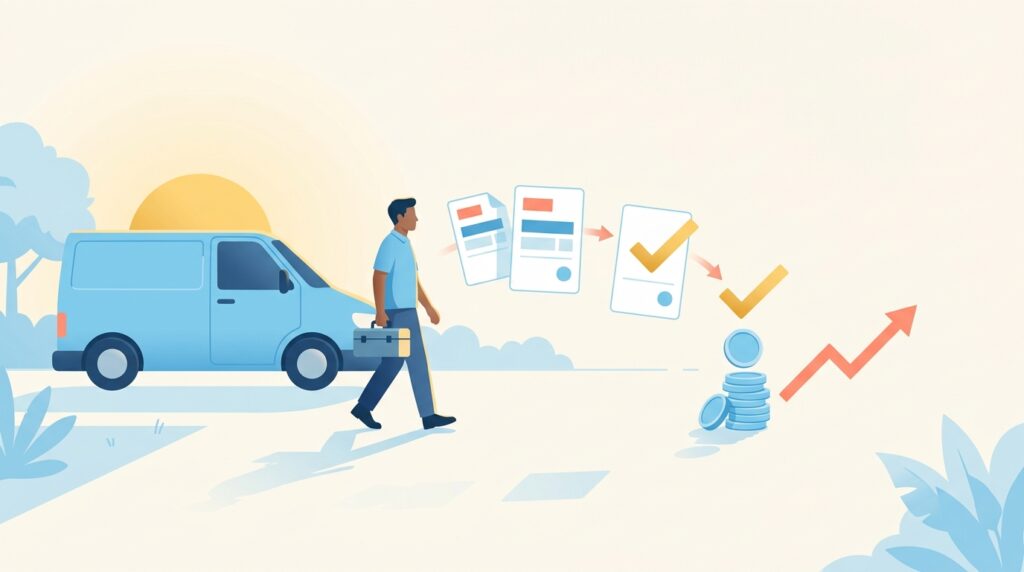
The best AI payment collection tool for plumbers in 2026 is Zoho Books, thanks to its automated invoicing, smart payment reminders, and seamless integration with accounting — all in one affordable platform built for small trade businesses. Jotform is the strongest secondary pick for plumbers who need flexible, mobile-friendly payment forms they can send from a job site in seconds. For field-first simplicity, Housecall Pro rounds out the top three with its purpose-built plumbing workflow that combines scheduling, invoicing, and payment collection in one app.
You just finished a four-hour emergency repair, your hands are still damp, and the homeowner says they’ll “send a check next week.” Sound familiar? Collecting payment after a plumbing job shouldn’t feel harder than the job itself — but for too many small plumbing businesses, chasing invoices, following up on unpaid balances, and manually reconciling payments eats up hours every week that could go toward booked jobs. In 2026, the best AI payment collection tools for plumbers automate those follow-ups, send smart reminders, and let customers pay on the spot from their phones — so you stop leaving money on the table. This guide reviews five of the strongest options available right now, with honest pricing, real pros and cons, and a clear winner for most small plumbing shops.
Table of Contents
- Why AI Payment Collection Tools Matter for Plumbers
- 1. Zoho Books — Best Overall AI Payment Collection for Plumbers
- 2. Jotform — Best for Mobile-First Payment Forms at the Job Site
- 3. Housecall Pro — Best All-in-One Field Service Payment Tool
- 4. FreshBooks — Best for Plumbers Who Want Simplicity Over Features
- 5. Jobber — Best for Growing Plumbing Crews Managing Multiple Jobs
- Quick Comparison Table
- The Bottom Line
- Frequently Asked Questions
Why AI Payment Collection Tools Matter for Plumbers in 2026
According to a SCORE small business survey, late payments are one of the top three cash flow problems reported by service-based small businesses — and plumbers are no exception. When you’re running back-to-back service calls, manually sending invoices and tracking who’s paid becomes a genuine bottleneck. The best AI payment collection tools for plumbers solve this by automating the entire post-job billing cycle: auto-generating invoices when a job is marked complete, sending timed payment reminders without you lifting a finger, and giving customers a one-click link to pay by card, ACH, or digital wallet.
The AI layer matters because it goes beyond simple automation. Modern tools analyze payment patterns, flag overdue accounts before they become bad debt, and even draft polite follow-up messages in your voice — all without requiring you to sit at a desk. If you’ve already explored how automation can transform your business operations, our guide to the Best AI Automation Tools for Plumbers in 2026 is a great companion read.
Before we jump into the reviews, here’s what we evaluated each tool on:
- AI-driven invoicing and payment automation
- Mobile usability for field technicians
- Payment processing options (card, ACH, digital wallets)
- Automated reminders and follow-up sequences
- Integration with scheduling and accounting software
- Pricing fairness for a solo plumber or small crew
1. Zoho Books — Best Overall AI Payment Collection for Plumbers
Best for: Solo plumbers and small plumbing businesses that want a full accounting + payment collection system without paying enterprise prices.
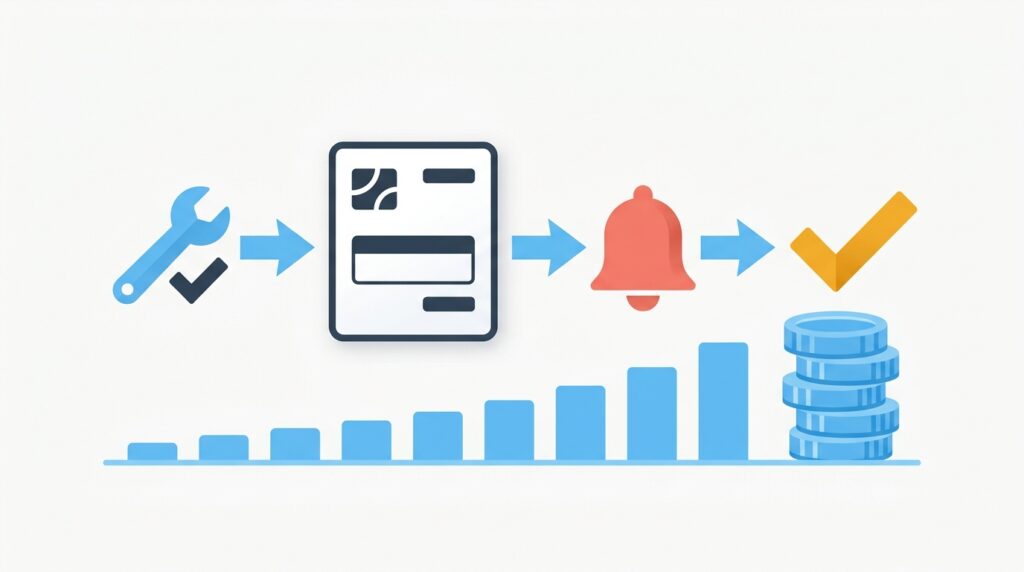
Zoho Books is the clear top pick among AI payment collection tools for plumbers in 2026 because it combines automated invoicing, smart payment reminders, real-time payment tracking, and full bookkeeping in a single, tightly integrated platform — at a price that doesn’t punish small businesses. Rather than stitching together a separate invoicing app, a payment processor, and accounting software, Zoho Books handles all three under one roof.
How Does Zoho Books Automate Payment Collection for Plumbers?
Zoho Books automates payment collection by letting you create recurring invoices, set up automatic payment reminders at custom intervals (e.g., 3 days before due, on the due date, and 7 days overdue), and send customers a secure online payment link directly from the invoice. When a customer clicks pay, they can use credit card, ACH bank transfer, or PayPal — and the payment posts automatically to your books without manual entry. The AI-powered late payment alerts flag which customers are consistently slow payers, so you can adjust terms proactively.
For plumbers specifically, Zoho Books supports job-level invoicing — meaning you can itemize parts, labor hours, service call fees, and permits on a single professional invoice generated right from your phone after finishing a job. Client portal access lets homeowners view their invoice history, download receipts, and pay at any time, which dramatically reduces “I never got the invoice” excuses.
Key Features
- Automated invoice creation and scheduling
- Multi-channel payment reminders (email + SMS)
- Secure customer payment portal with one-click pay
- ACH, credit card, and PayPal payment acceptance
- AI-powered cash flow forecasting and overdue alerts
- Full double-entry accounting and bank reconciliation
- Integration with Zoho CRM, Zoho Inventory, and 40+ third-party apps
- Mobile app for iOS and Android — invoice from the job site
How Much Does Zoho Books Cost for a Small Plumbing Business?
Zoho Books offers a free plan for businesses with under $50K annual revenue, making it genuinely accessible for sole-operator plumbers just starting out. Paid plans start at $20/month (Standard) and scale to $70/month (Professional) and $150/month (Premium), with each tier unlocking more contacts, automations, and users. For most small plumbing operations with one to three technicians, the Standard plan at $20/month delivers excellent value — covering automated reminders, payment links, and bank feeds. There are no per-transaction fees charged by Zoho itself (payment processor fees apply separately through Stripe or similar).
Pricing Summary:
- Free: Up to $50K revenue/year, 1 user
- Standard: $20/month — best for solo plumbers
- Professional: $50/month — adds purchase orders and project billing
- Premium: $70/month — vendor portals, budgets, custom domain
If you want a deeper look at how Zoho Books stacks up against other accounting tools in the contractor space, check out our article on the Best AI Accounting Software for Contractors in 2026.
2. Jotform — Best for Mobile-First Payment Forms at the Job Site
Best for: Plumbers who need to collect payment on the spot using a custom form on their phone or tablet — no separate invoicing software required.
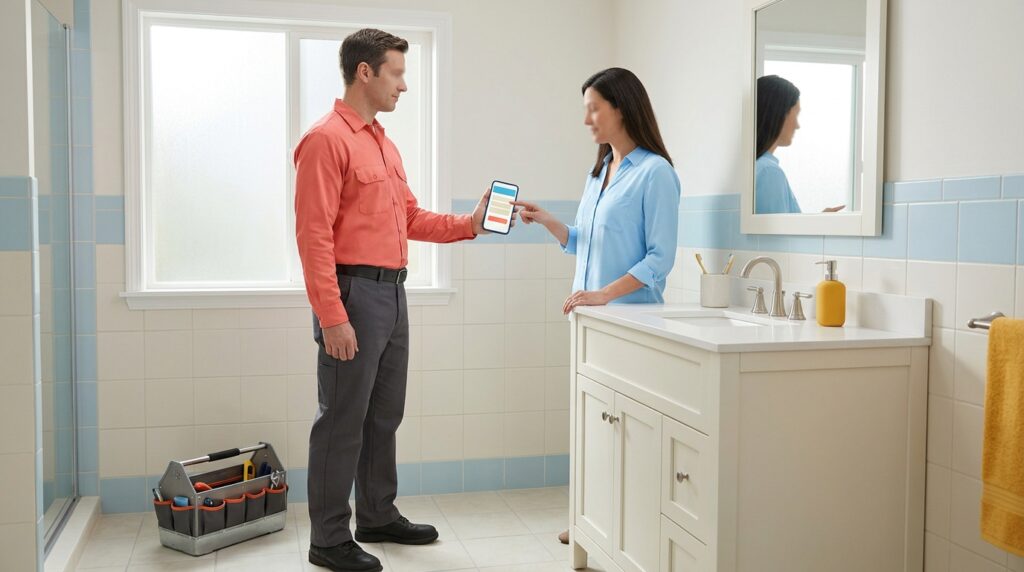
Jotform earns its place among the best AI payment collection tools for plumbers because it solves a specific and common problem: getting paid immediately after a job, before you even leave the driveway. While Zoho Books is the more complete accounting platform, Jotform excels as a rapid-deployment payment collection tool — you build a branded payment form in minutes, embed it on your website or text the link to a customer, and they pay right there while you’re wrapping up.
What Makes Jotform Useful for Collecting Plumbing Payments?
Jotform’s AI-powered form builder lets you create professional payment collection forms without any coding — choose your payment gateway (Square, Stripe, PayPal, Venmo Business, and more), add line items for labor and parts, include a signature field for job completion sign-off, and publish in under ten minutes. The AI form assistant can auto-suggest form fields based on your industry, and Jotform’s conditional logic means the form adapts dynamically — for example, showing a different pricing section if the customer selects emergency service versus routine maintenance.
Jotform’s AI Agents feature takes this further by enabling conversational payment flows — a customer interacts with a smart chatbot-style agent embedded on your site or texted to them, answers a few questions, and completes payment without any back-and-forth with you. This is particularly powerful for plumbing companies that handle after-hours jobs where staff aren’t available to manually send an invoice.
Key Features
- Drag-and-drop AI payment form builder with 10,000+ templates
- Accepts credit cards, ACH, PayPal, Square, Stripe, Venmo Business
- AI Agents for conversational payment collection
- E-signature collection on the same form
- Conditional logic and smart field branching
- Instant payment notifications via email or SMS
- HIPAA-compliant data handling options
- Integrates with Zoho Books, QuickBooks, Google Sheets, and Zapier
How Much Does Jotform Cost for Plumbers?
Jotform’s free plan includes 5 forms and 100 monthly submissions — enough for a solo plumber testing the waters. Paid plans start at $39/month (Bronze) with 25 forms and 1,000 submissions, scaling to $49/month (Silver) and $129/month (Gold). Note that Jotform charges a 1% transaction fee on the free plan; paid plans reduce or eliminate this fee depending on the gateway. For a plumbing business processing frequent payments, the Bronze plan at $39/month typically pays for itself within the first week of avoided late payments.
Pricing Summary:
- Free: 5 forms, 100 submissions/month (1% transaction fee)
- Bronze: $39/month — 25 forms, 1,000 submissions
- Silver: $49/month — 50 forms, 2,500 submissions
- Gold: $129/month — 100 forms, 10,000 submissions
3. Housecall Pro — Best All-in-One Field Service Payment Tool
Best for: Plumbing businesses that want scheduling, dispatching, invoicing, and AI payment collection in one purpose-built field service app.
Housecall Pro is purpose-engineered for home service contractors, and its payment collection capabilities are baked directly into the job workflow — making it one of the most natural choices for plumbers who don’t want to think about separate invoicing software. When a technician marks a job complete in the app, an invoice is automatically generated, and the customer can pay on the spot via card reader, text-to-pay link, or customer portal. The AI-driven follow-up sequences handle overdue invoices automatically, sending timed reminder messages until payment is received.
What Payment Features Does Housecall Pro Offer Plumbers?
Housecall Pro’s payment suite includes instant invoicing from a mobile device, a built-in card reader for in-person tap/chip/swipe payments, text-to-pay (customer receives a link via SMS and pays in under 60 seconds), and an online customer portal for recurring or future payment management. The platform’s AI tools surface payment trends — flagging which customers or job types most often result in delayed payment — and automate follow-up communications so your admin workload stays low. It also integrates directly with QuickBooks Online, so every payment flows cleanly into your accounting without duplicate entry.
Key Features
- Instant mobile invoicing at job completion
- Text-to-pay and in-app card reader support
- Automated overdue invoice reminders
- Customer payment portal
- Integrated scheduling, dispatch, and GPS tracking
- QuickBooks Online sync
- Review request automation post-payment
- Estimate-to-invoice conversion in one tap
How Much Does Housecall Pro Cost?
Housecall Pro’s Basic plan starts at $79/month for one user, with the Essentials plan at $189/month for up to five users and additional automation features. A MAX plan with custom pricing is available for larger operations. Payment processing fees are competitive at around 2.9% + $0.30 per card transaction, which is standard for the industry. There’s no free plan, but a 14-day free trial is available, and most plumbing businesses recoup the monthly cost quickly through faster payment cycles.
Pricing Summary:
- Basic: $79/month — 1 user
- Essentials: $189/month — up to 5 users
- MAX: Custom pricing for larger teams
4. FreshBooks — Best for Plumbers Who Want Simplicity Over Features
Best for: Solo plumbers or very small operations who prioritize ease of use and a clean interface over deep accounting capabilities.
FreshBooks has long been a favorite among service-based small businesses for a reason: it strips invoicing and payment collection down to the essentials and makes those essentials genuinely easy. If Zoho Books feels like more accounting software than you need, FreshBooks is the friendlier alternative. Plumbers can create and send a professional invoice from their phone in under two minutes, set up automatic payment reminders, and accept credit card payments online with no special setup required.
What AI Payment Features Does FreshBooks Offer Plumbers?
FreshBooks uses AI to help plumbers draft invoices faster with smart line-item suggestions based on previous jobs, auto-send follow-up reminders at intervals you configure, and detect which clients are chronically late so you can proactively require deposits or shorter payment terms. Its dashboard gives you an at-a-glance view of outstanding invoices, payments received this month, and average time to payment — data that helps you spot collection problems before they compound. FreshBooks also supports retainer billing, which is useful if you have commercial clients on maintenance contracts.
Key Features
- Simple, mobile-friendly invoicing with smart line-item suggestions
- Online credit card and ACH payment acceptance
- Automated late payment reminders
- Late fees that apply automatically to overdue invoices
- Client retainer and deposit billing
- Time tracking and expense capture (photo receipts)
- Double-entry accounting reports
- Integrations with Stripe, PayPal, and major accounting add-ons
How Much Does FreshBooks Cost?
FreshBooks’ Lite plan starts at $19/month for up to 5 active clients, the Plus plan at $33/month covers up to 50 clients, and the Premium plan at $60/month handles unlimited clients. A Select tier with custom pricing is available for larger businesses. FreshBooks does not have a free plan but offers a 30-day free trial. The Lite tier is workable for solo plumbers with a small regular client base, but most growing operations will need at least the Plus plan to avoid hitting client limits.
Pricing Summary:
- Lite: $19/month — 5 active clients
- Plus: $33/month — 50 active clients
- Premium: $60/month — unlimited clients
- Select: Custom pricing
👉 Try FreshBooks here — www.freshbooks.com
5. Jobber — Best for Growing Plumbing Crews Managing Multiple Jobs
Best for: Plumbing businesses with two or more technicians that need job management, client communication, and payment collection all coordinated in one platform.
Jobber is the field service platform most often mentioned by mid-sized plumbing companies that have outgrown a basic invoicing app but don’t want to pay enterprise prices. Its payment collection tools are tightly woven into the job lifecycle — quotes become jobs, jobs generate invoices, and invoices trigger payment follow-up automatically. The AI-assisted features include smart scheduling that minimizes drive time (reducing costs while increasing daily job capacity) and automated client follow-ups that prompt payment without making it feel like a debt collection call.
How Does Jobber Handle Payment Collection for Plumbing Companies?
Jobber lets plumbers collect payment in-person via card reader, send a payment request link via text or email the moment a job is marked complete, and set up automatic reminder sequences for overdue invoices — all without leaving the app. Customers pay through a branded client hub where they can also approve quotes, request new work, and view their service history. The AI-powered reporting dashboard shows your average invoice age, collection rate, and revenue trends, giving you the data to make smarter decisions about credit terms and deposit requirements.
Key Features
- Instant invoice generation at job completion
- Text and email payment request links
- In-person card reader payments
- Branded client hub for quote approvals and payment
- Automated payment reminder sequences
- AI-powered revenue and collection reporting
- Two-way SMS client communication
- QuickBooks Online and Xero integration
How Much Does Jobber Cost for a Plumbing Business?
Jobber’s Core plan starts at $49/month for 1 user, the Connect plan runs $149/month for up to 5 users and adds automations and two-way SMS, and the Grow plan at $299/month includes quote follow-up automation and a client-facing hub. There is no free plan, but a 14-day free trial is available. For a two- to four-person plumbing crew, the Connect plan at $149/month is typically the sweet spot — covering automated reminders and client communication without paying for features you won’t use.
Pricing Summary:
- Core: $49/month — 1 user
- Connect: $149/month — up to 5 users
- Grow: $299/month — full automation suite
👉 Try Jobber here — www.getjobber.com
Quick Comparison: Best AI Payment Collection Tools for Plumbers in 2026
| Tool | Best For | Starting Price | Free Plan | Mobile Invoicing | Auto Reminders | Accounting Built-In |
|---|---|---|---|---|---|---|
| Zoho Books | Best overall for small plumbing businesses | Free / $20/mo | ✅ Yes | ✅ Yes | ✅ Yes | ✅ Yes |
| Jotform | On-site payment forms & AI agents | Free / $39/mo | ✅ Yes | ✅ Yes | ⚠️ Via integrations | ❌ No |
| Housecall Pro | All-in-one field service platform | $79/mo | ❌ No | ✅ Yes | ✅ Yes | ❌ (QuickBooks sync) |
| FreshBooks | Simplest invoicing for solo plumbers | $19/mo | ❌ No | ✅ Yes | ✅ Yes | ✅ Basic |
| Jobber | Growing plumbing crews (2-5 techs) | $49/mo | ❌ No | ✅ Yes | ✅ Yes | ❌ (QuickBooks/Xero sync) |
The Bottom Line
If you’re a plumber looking for the single best AI payment collection tool in 2026, the answer is straightforward: start with Zoho Books. It combines everything a small plumbing business needs — automated invoicing, smart payment reminders, client payment portals, and full double-entry accounting — at a price that starts completely free. There’s no other tool in this list that gives you this depth of payment automation alongside real bookkeeping for $20 a month or less. For plumbers who are serious about getting paid on time and keeping clean financial records, Zoho Books is the clear leader.
Jotform is the essential companion tool for plumbers who want to collect payment on the spot at the job site, before they ever drive away. It’s not a replacement for Zoho Books — it’s a complement. Use Jotform to collect a deposit when a job is booked and to get a card on file or take immediate payment when a job wraps up. Use Zoho Books to handle the accounting, recurring invoices, and overdue follow-ups behind the scenes. Together, they form a payment collection system that is both fast at the front end and organized at the back end.
If you’re running a crew of two or more and you want everything — scheduling, dispatch, invoicing, and payment — in one purpose-built plumbing app, Housecall Pro or Jobber are the right calls. Housecall Pro is better for plumbers who prioritize field simplicity and a polished client-facing experience; Jobber is stronger for teams that need robust reporting and automation as they scale.
For a broader look at how AI-powered invoicing tools can help your plumbing business, see our full guide to the Best AI Invoicing Software for Plumbers in 2026.
👉 Try Zoho Books — free plan available
👉 Try Jotform — free plan available
Frequently Asked Questions
What is the best AI payment collection tool for a solo plumber on a tight budget?
Zoho Books is the best AI payment collection tool for a solo plumber on a budget because it offers a genuinely functional free plan for businesses earning under $50,000 per year, with automated invoicing and payment reminders included. Jotform also has a free tier that supports basic payment forms with no monthly cost. Between the two, Zoho Books is the better long-term choice because it grows with your business and includes full accounting functionality.
Can I collect payment from customers without internet at the job site?
Housecall Pro and Jobber both support offline invoice drafting that syncs when you reconnect — however, actual payment processing requires an active internet or cellular connection to authorize a card transaction. For truly disconnected situations, collecting a signed check or a verbal card authorization to process later is still common practice. Jotform payment forms require connectivity to process a card payment securely.
How do AI payment reminders actually work for plumbing invoices?
AI payment reminders in tools like Zoho Books and Housecall Pro work by triggering pre-written email or SMS messages automatically based on the invoice due date — for example, sending a friendly reminder three days before an invoice is due, another on the due date, and an overdue notice one week later. You set the schedule once, and the system handles every customer without you thinking about it. Some tools, like Jobber, also let the AI analyze a client’s past payment behavior and suggest personalized reminder timing for chronically late payers.
Do plumbing payment tools charge extra per transaction?
Most AI payment collection tools for plumbers charge standard payment processing fees (typically 2.6%–2.9% + $0.30 per card transaction) through their integrated gateway partners like Stripe or Square — this is separate from the software’s monthly subscription fee. Zoho Books charges no platform-level transaction fee on paid plans; the only cost is the payment processor’s standard rate. Jotform charges a 1% platform fee on its free plan, which is waived on paid tiers. Always factor in processing fees when comparing total cost.
Is it worth using a plumbing-specific tool like Housecall Pro instead of a general invoicing app?
It depends on your team size and how much of your workflow you want to unify. For a solo plumber, a general tool like Zoho Books or FreshBooks is typically more cost-effective and covers payment collection just as well. For a plumbing business with two or more technicians juggling scheduling, dispatching, and invoicing simultaneously, a field service platform like Housecall Pro or Jobber pays for itself quickly by eliminating the manual coordination between those functions. The AI payment collection features are roughly equivalent across both categories — the difference is integration depth with your day-to-day operations.
Affiliate Disclosure: This article contains affiliate links. If you click a link and make a purchase or sign up for a service, we may earn a commission at no additional cost to you. We only recommend tools we have genuinely researched and believe provide real value to small business owners. Our editorial opinions are independent and are not influenced by affiliate relationships.