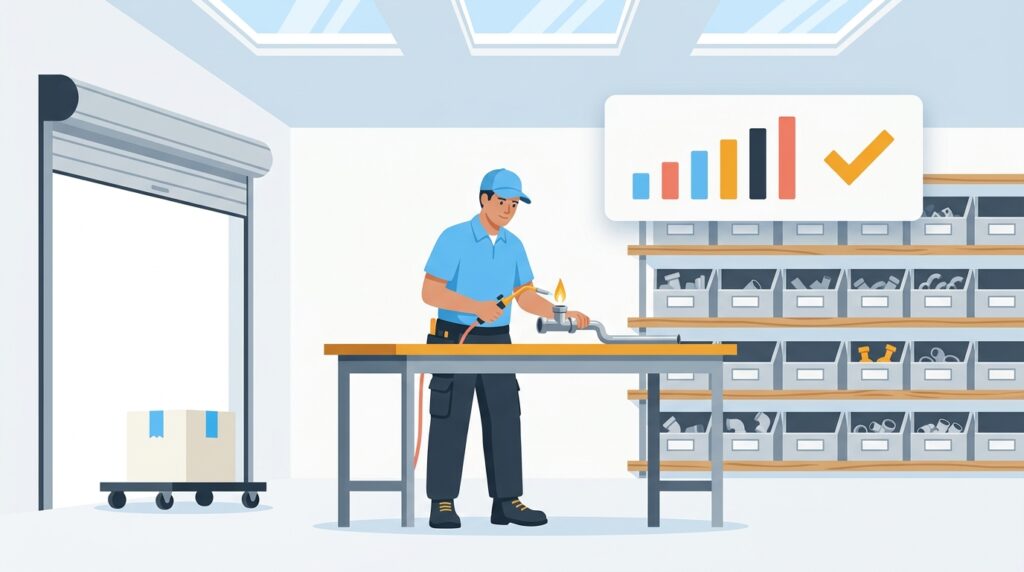
The best AI tool for plumbing inventory and parts tracking is Zoho Inventory, thanks to its real-time stock monitoring, automated reorder points, and deep integration with the broader Zoho ecosystem that plumbing businesses already use. Pabbly is the strongest automation companion for connecting your inventory data to other apps without paying per-task fees, and Housecall Pro excels specifically for plumbing companies that want job-linked parts tracking built directly into their field service workflow.
If you’ve ever shown up to a job and realized the fitting you needed is sitting back at the shop — or worse, discovered you ordered the same part three times because nobody updated the spreadsheet — you already know how much disorganized inventory costs a plumbing business. Lost time, emergency supplier runs, overstocked shelves eating into cash flow, and frustrated techs in the field are all symptoms of the same problem: manual parts tracking doesn’t scale. Learning how to use AI for plumbing inventory and parts tracking is one of the most practical steps a small plumbing business can take right now to cut waste, speed up jobs, and protect margins. This guide walks you through five tools that make it happen — without requiring a full-time inventory manager or an enterprise IT budget.
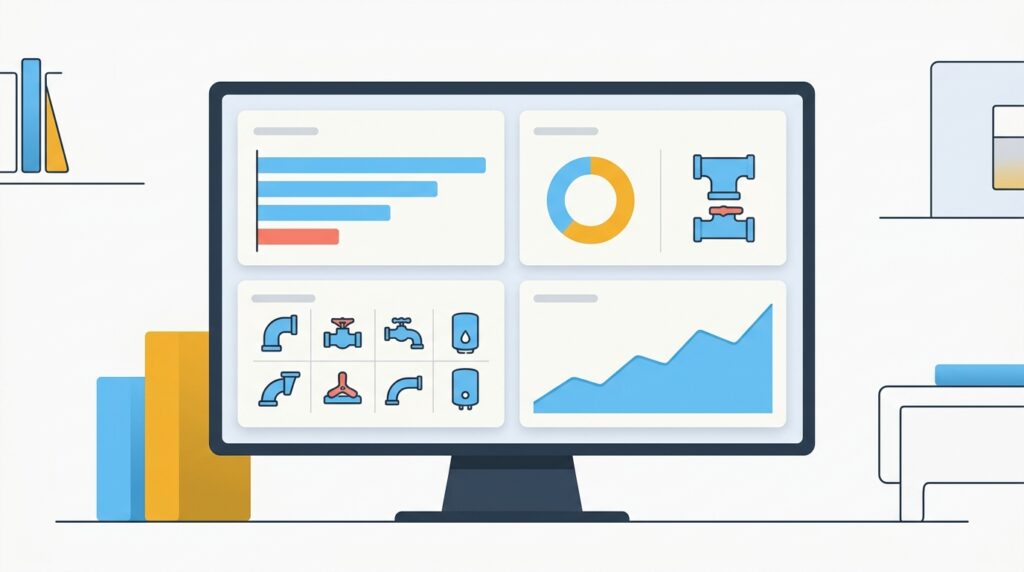
Table of Contents
- Why AI Inventory Tracking Matters for Plumbing Businesses
- 1. Zoho Inventory — Best Overall for Plumbing Parts Management
- 2. Pabbly — Best for Automating Inventory Workflows Without Per-Task Fees
- 3. Housecall Pro — Best for Field-Linked Parts Tracking
- 4. Jobber — Best for Small Plumbing Teams Wanting Simple Stock Control
- 5. ServiceTitan — Best for Scaling Plumbing Companies with Advanced Inventory Needs
- Quick Comparison Table
- How to Get Started Using AI for Plumbing Inventory Step by Step
- The Bottom Line
- Frequently Asked Questions
Why Does AI Inventory Tracking Matter for Plumbing Businesses in 2026?
According to the National Federation of Independent Business, supply chain disruptions and rising material costs remain among the top concerns for trade contractors — and plumbing businesses are on the front line. A single missed part can derail a full day’s schedule, and manual inventory systems (read: paper logs and shared spreadsheets) almost always fall behind reality.
AI-powered inventory tools change the equation in three concrete ways. First, they track stock in real time, so your office and field teams always see the same picture. Second, they use demand forecasting — analyzing your past job history to predict which parts you’ll need next week, not just today. Third, they automate reorder triggers, meaning you never manually check if you’re running low on 3/4-inch ball valves again. When you know how to use AI for plumbing inventory and parts tracking effectively, you’re not just organizing a shelf — you’re building a system that pays for itself every month through reduced waste and faster job completion.

1. Zoho Inventory — Best Overall for Plumbing Parts Management
Best for: Plumbing businesses that want a complete, AI-assisted inventory platform that integrates with accounting, CRM, and field ops
Zoho Inventory is the most well-rounded tool for small to mid-sized plumbing companies looking to use AI for parts tracking. It offers real-time inventory updates across multiple locations (your warehouse, your truck, your supply house orders), automated reorder points that trigger purchase orders without manual intervention, and predictive analytics that flag which parts are moving fast based on historical job data.
What makes Zoho Inventory stand out for plumbers specifically is how naturally it connects to the rest of the Zoho ecosystem. If you’re already using Zoho CRM for customer records or Zoho Books for invoicing, your parts usage data flows directly into job costing reports. You can tag parts to specific work orders, track which tech used which item, and see your true cost-per-job without piecing together information from three different apps. Zoho’s AI layer, called Zia, surfaces anomalies — like a sudden spike in a particular part’s usage — and suggests reorder quantities based on trends, not guesswork.
Zoho Inventory also supports barcode scanning, so your warehouse team can update stock levels from a mobile device in seconds. Supplier management tools let you store vendor lead times and pricing, so when the system auto-generates a purchase order, it’s routed to the right supplier at the negotiated price automatically.
Key Features
- Real-time multi-location stock tracking (warehouse + truck inventory)
- AI-driven demand forecasting powered by Zoho Zia
- Automated reorder points and purchase order generation
- Barcode and QR code scanning via mobile app
- Seamless integration with Zoho Books, Zoho CRM, and Zoho Projects
- Supplier management with lead time and cost tracking
- Item bundling for common plumbing job kits (e.g., water heater installation parts)
How Much Does Zoho Inventory Cost for a Small Plumbing Business?
Zoho Inventory starts at $29/month (billed annually) for the Standard plan, which includes up to 1,500 orders per month and core inventory features. The Professional plan at $79/month adds multi-currency support and serial number tracking, while the Premium plan at $129/month includes advanced analytics and up to 25,000 orders. A free plan is available for very small operations with limited order volume. For most plumbing businesses with 2–5 technicians, the Standard or Professional tier is the sweet spot.
2. Pabbly — Best for Automating Inventory Workflows Without Per-Task Fees
Best for: Plumbing businesses that want to connect their inventory system to supplier emails, job scheduling apps, and accounting tools without paying per automation run
Pabbly Connect is an automation platform that acts as the glue between your AI inventory software and every other tool in your business stack. While it’s not an inventory system on its own, it becomes incredibly powerful when paired with Zoho Inventory or a similar platform — and for plumbing businesses watching their software spend, Pabbly’s biggest advantage is its pricing model: you pay a flat monthly fee with no per-task or per-automation charges, unlike Zapier which meters every run.
Here’s a practical example of how to use AI for plumbing inventory and parts tracking with Pabbly: when a tech closes a work order in your field service app, Pabbly automatically deducts the parts used from your Zoho Inventory count, sends a low-stock alert to your office manager via Slack or email, and creates a draft purchase order in your accounting software — all without anyone touching a keyboard. You can build these multi-step workflows using Pabbly’s visual builder in an afternoon, even with no coding experience.
Pabbly also integrates with over 1,000 apps, including QuickBooks, Google Sheets, Gmail, ServiceTitan, and most major supplier portals. For plumbing businesses that have a patchwork of software tools and want them working together seamlessly, Pabbly is the most cost-effective automation layer available.
Key Features
- Unlimited automation workflows (tasks) on all paid plans — no per-run charges
- 1,000+ app integrations including Zoho Inventory, QuickBooks, and Gmail
- Visual workflow builder — no coding required
- Multi-step automations with conditional logic (if stock drops below X, then send alert AND create PO)
- Webhook support for custom supplier integrations
- Real-time trigger monitoring with error alerts
How Much Does Pabbly Cost for Plumbing Automation?
Pabbly Connect starts at $19/month for the Basic plan, which covers 100 workflows and unlimited tasks — meaning you can run as many automations as you need without worrying about per-run costs. The Standard plan at $39/month and the Pro plan at $99/month add more workflows and priority support. A lifetime deal is also periodically available, making Pabbly one of the most affordable long-term automation investments for small plumbing businesses.
3. Housecall Pro — Best for Field-Linked Parts Tracking
Best for: Plumbing businesses where technicians need to log parts used directly from the job site on a mobile device
Housecall Pro is purpose-built for home service businesses, which means its parts and inventory features are designed around how plumbers actually work — in the field, not behind a desk. When a tech finishes a water heater swap, they can log every part used directly in the Housecall Pro mobile app, which automatically updates your parts inventory, adds the costs to the job invoice, and notifies the office if any item drops below your reorder threshold.
The inventory tracking in Housecall Pro isn’t as deep as a dedicated platform like Zoho Inventory, but what it does exceptionally well is eliminate the gap between the job site and the back office. There’s no “remember to update the spreadsheet when you get back to the shop” step — it happens in real time as the job is completed. For a plumbing company with three to ten techs running service calls, this alone can recover hours of administrative time every week.
Housecall Pro also integrates with QuickBooks for accounting, and its recent AI upgrades include smart price book recommendations that suggest parts pricing based on market data, helping you maintain healthy margins without manually researching supplier costs. If you want a field service platform that handles scheduling, dispatching, invoicing, and parts tracking in one place, Housecall Pro deserves serious consideration. You can read more about the broader AI tools available to plumbers in our guide to Best AI Automation Tools for Plumbers in 2026.
Key Features
- Mobile parts logging directly from job sites
- Real-time inventory updates tied to completed work orders
- AI-assisted price book with market-based part pricing suggestions
- Low-stock alerts with customizable reorder thresholds
- QuickBooks integration for automatic cost-of-goods tracking
- Full field service suite: scheduling, dispatch, invoicing, and customer communication
How Much Does Housecall Pro Cost?
Housecall Pro pricing starts at $79/month for the Basic plan (1 user), with the Essentials plan at $189/month for up to 5 users and the MAX plan available via custom quote for larger teams. All plans include core inventory tracking features. The higher tiers add advanced reporting and multi-location support.
4. Jobber — Best for Small Plumbing Teams Wanting Simple Stock Control
Best for: Solo plumbers and small teams (1–5 techs) who want basic parts tracking without the complexity of a full inventory platform
Jobber is one of the most popular field service management tools among small plumbing companies, and its inventory features reflect that audience: straightforward, easy to learn, and focused on getting the job done rather than offering enterprise-level analytics. You can build a parts library, attach items to quotes and jobs, and track which materials were used across your jobs — all from a clean, intuitive interface that new users typically learn in under an hour.
Jobber doesn’t offer the AI-driven demand forecasting that Zoho Inventory provides, but it earns its place in this comparison because of how seamlessly the parts tracking fits into the broader job workflow. When you build a quote, you pull parts from your price book. When the job is approved, those parts are allocated. When the job closes, usage is recorded. It’s a simple loop that works reliably for smaller operations that don’t need predictive analytics yet — just consistent, accurate records.
For plumbing businesses already using Jobber for scheduling and customer management, adding parts tracking requires no additional software or integration work. The learning curve is near zero. If you’re exploring other ways to use AI in your plumbing operations, our guide on How to Use AI Scheduling for Plumbers covers how Jobber fits into the broader stack.
Key Features
- Parts and materials library with custom pricing
- Job-linked material tracking from quote to invoice
- Mobile access for field techs to log used parts on-site
- QuickBooks and Xero integration for cost tracking
- Client portal for job history, including parts used
- Automated follow-up reminders after job completion
How Much Does Jobber Cost?
Jobber’s Core plan starts at $49/month (1 user), the Connect plan at $129/month supports up to 5 users and includes QuickBooks integration, and the Grow plan at $249/month adds advanced reporting and lead management. Parts tracking is included across all plans. Jobber frequently runs promotional pricing for new subscribers.
👉 Try Jobber here (visit getjobber.com for current pricing)
5. ServiceTitan — Best for Scaling Plumbing Companies with Advanced Inventory Needs
Best for: Growing or multi-location plumbing businesses that need enterprise-grade inventory management, truck stock tracking, and deep reporting
ServiceTitan is the most powerful tool in this comparison — and also the most expensive. It’s designed for plumbing companies with multiple trucks, a dedicated dispatcher or office manager, and complex inventory needs that go beyond what a basic parts library can handle. ServiceTitan’s inventory module tracks stock across every truck and warehouse location simultaneously, manages purchase orders with supplier punchout integrations (direct connections to major supply house catalogs like Ferguson and Winsupply), and generates detailed reports on parts consumption, margins, and shrinkage.
The AI capabilities in ServiceTitan are substantial: the platform analyzes job history to recommend optimal truck stock levels for each technician based on their typical job types, flags parts that are frequently returned or underused, and integrates with ServiceTitan’s Pricebook Pro feature to keep parts pricing automatically updated from supplier catalogs. For a plumbing company doing over $1M in annual revenue with 10+ technicians, the ROI on this kind of precision can be significant.
The trade-off is complexity and cost. ServiceTitan has a steep learning curve and requires onboarding support to implement correctly. It’s overkill for a two-person plumbing operation. But for companies at the growth stage that are losing money to inventory errors, ServiceTitan is the most comprehensive answer to how to use AI for plumbing inventory and parts tracking at scale.
Key Features
- Multi-truck and multi-warehouse real-time inventory tracking
- AI-based truck stock optimization per technician
- Supplier punchout integrations (Ferguson, Winsupply, etc.)
- Automated purchase order creation and approval workflows
- Pricebook Pro: automatic supplier pricing updates
- Comprehensive inventory reporting: margins, shrinkage, and turnover rates
How Much Does ServiceTitan Cost?
ServiceTitan does not publish pricing publicly — it’s custom-quoted based on business size and selected modules. Most industry sources report starting costs in the range of $398–$598/month for smaller teams, with costs rising significantly for larger operations. Implementation and onboarding fees apply. For plumbing companies below $500K in annual revenue, this likely isn’t the right fit yet.
👉 Try ServiceTitan here (visit servicetitan.com for a custom quote)
Quick Comparison Table: AI Inventory Tools for Plumbers
| Tool | Best For | Starting Price | AI Features | Field Mobile App | Integration Depth |
|---|---|---|---|---|---|
| Zoho Inventory | Overall plumbing parts management | $29/mo | Demand forecasting, anomaly alerts (Zia AI) | Yes | Very High (full Zoho ecosystem) |
| Pabbly | Workflow automation across apps | $19/mo | Conditional logic triggers | No (connector tool) | High (1,000+ apps) |
| Housecall Pro | Field-linked parts tracking | $79/mo | AI price book suggestions | Yes (core feature) | Medium (QuickBooks, etc.) |
| Jobber | Simple stock control for small teams | $49/mo | Basic (limited AI) | Yes | Medium (QuickBooks, Xero) |
| ServiceTitan | Scaling/multi-location businesses | Custom (~$398+/mo) | Truck stock optimization, Pricebook Pro | Yes | Very High (supplier punchout) |
How Do You Get Started Using AI for Plumbing Inventory and Parts Tracking?
Getting started with AI inventory tracking doesn’t require a complete software overhaul overnight. Follow these five steps to build a system that works for your business size and budget.
Step 1: Audit Your Current Parts Inventory
Before any AI tool can help you, you need accurate starting data. Spend a day physically counting your warehouse stock and noting what’s on each truck. This is the baseline your AI system will learn from. Most tools let you import this data via a spreadsheet, so you’re not entering it line by line.
Step 2: Choose the Right Platform for Your Business Size
If you’re a solo plumber or running a 2–3 person team, start with Jobber or Housecall Pro — they’re built for your scale and won’t overwhelm you with features you don’t need yet. If you have 5+ technicians or multiple service vans, Zoho Inventory gives you more control and AI intelligence. Use Pabbly to connect whatever primary tool you choose to your accounting software, supplier contacts, and communication tools.
Step 3: Set Up Reorder Points for Your Top 20 Parts
You don’t need to configure every part you carry on day one. Start with the 20 parts your techs use most frequently — things like copper fittings, shutoff valves, wax rings, drain snakes, and pressure relief valves. Set a reorder point (the quantity that triggers an automatic purchase order) for each. Most plumbing businesses find that just this step eliminates 80% of their “we’re out of stock” emergencies.
Step 4: Integrate Parts Tracking With Your Work Order System
The biggest unlock in how to use AI for plumbing inventory and parts tracking is connecting parts deductions to completed jobs. When a work order closes, parts are automatically deducted. Use Pabbly to bridge any gap between your field service app and your inventory system if they don’t natively integrate. This is the step that eliminates the “update the spreadsheet when you get back” problem forever.
Step 5: Review AI Insights Monthly and Refine
After 30–60 days, your AI inventory tool will have enough data to start surfacing useful patterns: which parts are moving fastest, which are sitting on shelves too long, and where your reorder points need adjusting. Schedule a monthly 30-minute review with your office manager to act on these insights. Over time, your inventory system becomes smarter and more self-managing — that’s the payoff of an AI-driven approach.

The Bottom Line
If you’re serious about getting control of your parts and materials, Zoho Inventory is the top recommendation for most plumbing businesses. It delivers genuine AI-powered forecasting, handles multi-location stock tracking, and connects seamlessly with the rest of the Zoho business suite — all at a price point that makes sense for small businesses. The $29/month entry point means you can get started without a big financial commitment, and the system grows with you as your team expands.
Pabbly is a must-add for any plumbing business using multiple software tools. The ability to automate parts deductions, low-stock alerts, and purchase order creation across your entire app stack — with no per-task fees — makes it one of the highest-ROI tools in this comparison. Use Zoho Inventory and Pabbly together, and you’ve built an AI-powered inventory engine that requires minimal manual maintenance.
For plumbing businesses that are primarily field-service focused and want parts tracking embedded in their scheduling and dispatching workflow, Housecall Pro is a close runner-up. And if you’re at the stage where you’re managing 10+ technicians and complex multi-truck stock, ServiceTitan is worth the investment. Don’t forget to explore how AI is transforming other parts of plumbing operations — from job costing to estimates — in our guide on How to Use AI for Plumbing Estimates and Quotes.
Frequently Asked Questions
Can a small plumbing business with one truck benefit from AI inventory tracking?
Yes — even a one-truck plumbing operation benefits significantly from AI inventory tracking because it eliminates manual counting, prevents stockouts on common parts, and automatically ties material costs to each job for accurate profit tracking. Tools like Jobber and Housecall Pro are specifically designed for small operators and can be set up in a single afternoon. The time savings alone — no more manual inventory counts or after-hours spreadsheet updates — typically justify the monthly cost within the first few weeks.
How does AI predict which plumbing parts I’ll need to reorder?
AI inventory platforms like Zoho Inventory analyze your historical job data — which parts were used, on which types of jobs, at what frequency — and use that pattern data to forecast future demand. For example, if your usage of expansion tanks spikes every October because you service a lot of older homes before winter, the system learns this and suggests increasing your stock before that window. These predictions improve over time as the AI accumulates more data from your specific business history.
What’s the difference between using Pabbly and Zapier for plumbing inventory automation?
Both Pabbly and Zapier connect apps and automate workflows, but the key difference is pricing structure: Zapier charges per task run, so costs can spike unexpectedly as your automation volume grows, while Pabbly charges a flat monthly fee with unlimited task runs on all paid plans. For a plumbing business running dozens of automations daily (parts deductions, reorder alerts, purchase order creation), Pabbly is almost always the more cost-effective choice. Zapier has a larger app library, but Pabbly’s 1,000+ integrations cover all the major tools plumbing businesses use.
Do I need to replace my existing field service software to use AI inventory tracking?
No — in most cases you can add AI inventory tracking on top of your existing setup using an integration tool like Pabbly or a direct integration. For example, if you already use Jobber for scheduling, you can connect it to Zoho Inventory via Pabbly so parts data flows between both systems automatically. The key is identifying whether your current field service app has a native inventory feature (Housecall Pro and Jobber both do) or whether you need a dedicated inventory platform connected via automation.
How long does it take to set up AI inventory tracking for a plumbing business?
Most small plumbing businesses can have a functional AI inventory system running within one to three days. The initial setup — counting existing stock, importing a parts list, and setting reorder thresholds — takes the longest, typically four to eight hours depending on how many SKUs you carry. The AI features (demand forecasting, automated alerts) begin functioning immediately but produce their most useful insights after 30–60 days of real job data. Starting with your top 20 most-used parts keeps the initial setup manageable and delivers immediate value while you build out the full catalog over time.
Affiliate Disclosure: This article contains affiliate links. If you click a link and make a purchase or sign up for a service, we may earn a commission at no additional cost to you. We only recommend tools we have genuinely researched and believe provide real value to small business owners. Our editorial opinions are independent and are not influenced by affiliate relationships.