The best AI appointment reminder tool for plumbing customers is Housecall Pro, thanks to its field-service-specific automation that sends SMS, email, and in-app reminders on autopilot from the moment a job is booked. Tidio is the strongest chat-and-reminder hybrid for plumbers who want a 24/7 AI chatbot to capture leads and trigger follow-up messages, and Jobber is the top choice for growing plumbing businesses that need reminder automation bundled inside a powerful job management platform.
Every plumber has lived through the same gut-punch: you drive 40 minutes to a job, knock on the door, and nobody’s home. The customer forgot, something came up, or they simply never wrote it down. That wasted trip doesn’t just cost you fuel — it blows a two-hour window you could have filled with a paying call. AI appointment reminders for plumbing customers solve this problem automatically, firing off perfectly-timed texts and emails without you lifting a finger. In 2026, the technology is affordable, easy to set up, and proven to cut no-show rates by as much as 80% in service-based businesses. This guide walks you through exactly how it works, which tools to use, and how to get your first reminder running by the end of the week.

Why Do Plumbers Lose So Much Money to No-Shows?
No-shows cost field service businesses an average of $200 or more per missed appointment when you factor in drive time, labor, and the lost job slot. For a plumbing company running 10 to 20 jobs a week, even a 10% no-show rate adds up to thousands of dollars in wasted revenue every month. The problem is rarely malicious — customers are busy, they booked a week ago, and life got in the way. A single, well-timed reminder text sent the night before would have prevented most of it.
Manual reminder calls are the traditional fix, but they don’t scale. Your dispatcher can’t phone every customer on a 30-job week while also handling incoming calls, dispatching techs, and updating the schedule. That’s exactly where AI appointment reminders for plumbing customers come in — the software handles outreach automatically, at the right time, on the right channel, without human effort.
If you’re already thinking about the broader picture of running your plumbing business on automation, check out our deep-dive on the Best AI Automation Tools for Plumbers in 2026 for a complete overview of what’s possible.
How Do AI Appointment Reminders for Plumbing Customers Actually Work?
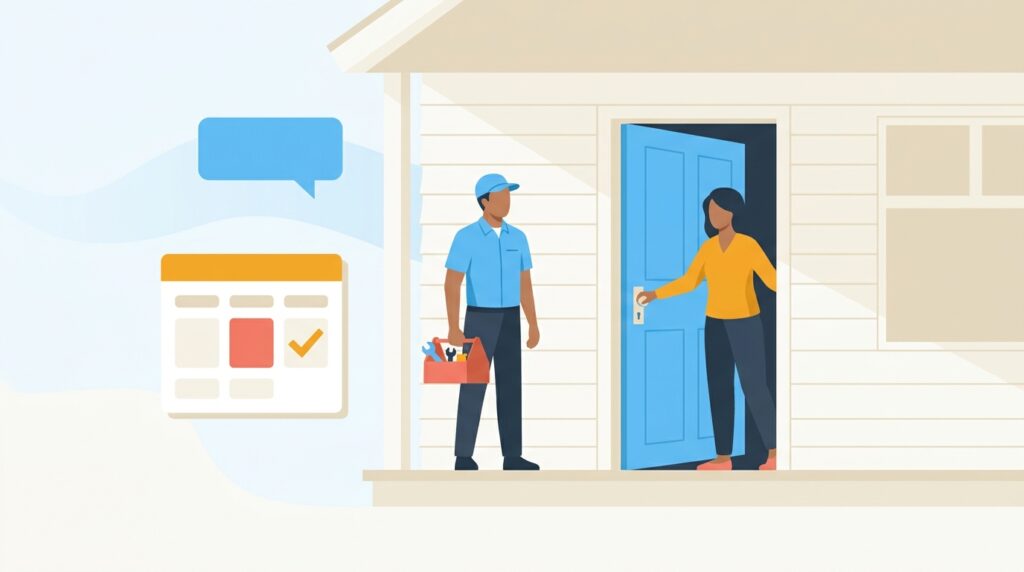
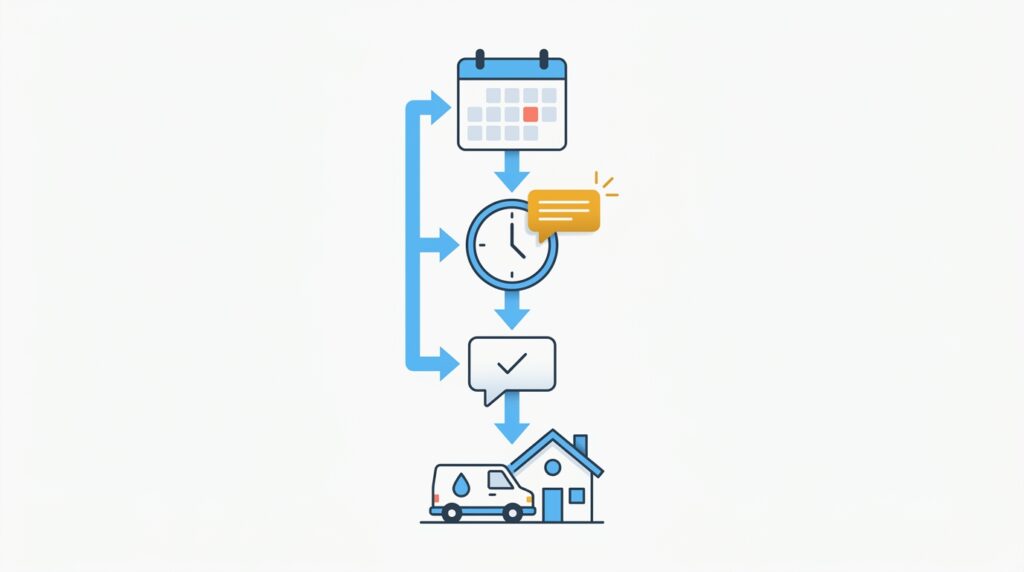
AI appointment reminder systems work by connecting to your scheduling software, detecting when a job is booked, and automatically firing a pre-written message to the customer via SMS, email, or both — at intervals you define (for example, 48 hours before, 24 hours before, and 1 hour before the appointment). Modern platforms go further: they can personalize the message with the customer’s name, the technician’s name, the job type, a map link, and even a one-click confirmation button. If the customer replies “no” or clicks “reschedule,” the system can alert your office in real time so you can fill the slot.
The “AI” layer adds smart features on top of basic scheduling: natural language understanding so the system can interpret a customer texting back “can we move to Thursday morning?” and route that reply to the right team member, predictive send-time optimization that identifies the best moment to reach each customer, and machine learning that improves reminder templates based on open rates and confirmation responses over time.
1. Housecall Pro — Best Overall for Plumbing Businesses
Best for: Solo plumbers and small-to-mid-size plumbing companies who want a complete field service platform with built-in AI appointment reminder automation.
Housecall Pro is the gold standard for AI appointment reminders for plumbing customers because it was purpose-built for home service businesses — not adapted from a generic CRM. The moment a job is booked, Housecall Pro’s automation engine kicks in, sending an instant booking confirmation, a reminder 24 hours before the appointment, and a tech-is-on-the-way alert when your plumber dispatches. Every message is customizable and branded with your company logo, and customers can confirm, reschedule, or contact you directly from the text — no app download required.
Key Features
- Automated SMS and email reminders triggered instantly at booking, 24 hours before, and at dispatch
- Branded customer notifications with your logo, tech photo, and arrival window
- Two-way SMS messaging so customers can reply and your team sees it in one inbox
- Customer confirmation tracking — the dashboard shows who confirmed, who hasn’t responded, and who requested a change
- Review request automation triggered after a job is marked complete
- Online booking widget with automatic confirmation and reminder enrollment
- GPS tech tracking with automated “on my way” texts sent to customers
How Much Does Housecall Pro Cost for a Small Plumbing Business?
Housecall Pro starts at $79/month (Basic plan) for a single user, which includes automated reminders, online booking, invoicing, and payment processing. The Essentials plan (around $189/month) adds more automations and team features. A free trial is available, and there are no per-reminder fees on top of your subscription. For a plumber running even five jobs per week, the reduction in no-shows typically pays for the subscription within the first month.
2. Tidio — Best for Chat-First Reminder Automation
Best for: Plumbers who want to capture leads from their website 24/7 and automatically trigger appointment reminders through a chatbot without needing a full field service suite.
Tidio is an AI-powered live chat and chatbot platform that goes well beyond answering website questions. For plumbing companies, it serves as a lead-capture and reminder trigger system: a customer visits your site at 10 p.m. with a leaking pipe, the Tidio chatbot qualifies them, collects their contact info and preferred appointment slot, and immediately fires a confirmation message. From there, Tidio’s automation flows can send follow-up reminders via email or chat notification in the hours and days before the job.
What makes Tidio stand out for AI appointment reminders for plumbing customers is its AI engine, Lyro, which can handle natural language conversations — understanding when a customer says “I need to push my Tuesday appointment” and routing that to your team with full context. It’s especially powerful when paired with a scheduling tool like Housecall Pro or Jobber via Zapier or native integrations, creating a seamless loop from first website visit to confirmed, reminded appointment.
Key Features
- Lyro AI chatbot that understands natural language appointment requests and changes
- Visual automation builder for designing multi-step reminder sequences
- Email and live chat notification triggers based on booking confirmations
- Lead capture flows that collect name, phone, address, and job type before handing off to your scheduler
- Zapier and native integrations with 30+ scheduling and CRM platforms
- Visitor behavior triggers — proactively engage site visitors who have been browsing your services page
- Mobile app for monitoring chats and reminder queues on the go
How Much Does Tidio Cost for a Plumbing Company?
Tidio offers a free plan that supports up to 50 Lyro AI conversations per month — enough to test the system with a small appointment volume. Paid plans start at $29/month (Starter), with the Lyro AI plan running around $39/month for 50 AI conversations, scalable upward. For most small plumbing businesses running 20 to 40 appointments per week, the $39 to $79/month range covers the reminder and lead-capture workflows comfortably.
3. Jobber — Best for Growing Plumbing Companies
Best for: Plumbing businesses with multiple technicians and higher job volumes that need reminder automation tightly integrated with scheduling, quoting, invoicing, and crew management.
Jobber is one of the most popular field service management platforms on the market, and its automated reminder system is a major reason why. When you book a job in Jobber, the platform sends the customer an instant booking confirmation, a pre-appointment reminder at your chosen interval (24 hours and/or 4 hours out are common settings), and a post-job follow-up email. All messages are fully customizable and can include your branding, the technician’s name, and a link to the customer’s invoice or review page.
Jobber’s client hub is a standout feature: customers get a branded online portal where they can view upcoming appointments, approve quotes, and pay invoices — and every reminder text links directly into it. This reduces incoming phone calls to your office significantly and keeps your AI appointment reminders for plumbing customers connected to the full customer relationship, not just a standalone ping.
Key Features
- Automated booking confirmations, reminders, and follow-ups with customizable timing
- Client hub — branded customer portal for viewing appointments, approving quotes, and paying invoices
- Automated quote follow-up sequences to convert estimates into booked jobs
- Two-way SMS for back-and-forth communication with customers
- Crew scheduling and job tracking with real-time GPS
- Review request automation post-job completion
- QuickBooks and Stripe integrations for seamless billing
Pricing
Jobber starts at $49/month (Lite, single user), with the Core plan at $99/month (includes automated reminders and client hub). The Connect plan at $149/month adds two-way SMS and more advanced automation. A 14-day free trial is available with no credit card required.
4. ServiceTitan — Best for Large Plumbing Fleets
Best for: Established plumbing companies with 10+ technicians, high job volume, and the need for enterprise-level reminder automation, dispatching, and reporting.
ServiceTitan is the enterprise powerhouse of the plumbing software world. Its AI-powered reminder system is deeply integrated into a broader customer experience engine: automated pre-appointment messages, tech-dispatched notifications with real-time GPS tracking links, post-service follow-ups, and campaign-level marketing automation for maintenance plan customers and seasonal outreach. The platform even uses AI to predict which customers are most likely to need service soon and can trigger proactive reminder campaigns before they even call.
The trade-off is cost and complexity. ServiceTitan is significantly more expensive than Housecall Pro or Jobber, with custom pricing that typically starts around $398/month and scales up with technician count and features. It’s overkill for a solo plumber, but for a company managing 20 or more techs and thousands of customer records, the AI appointment reminder for plumbing customers capabilities within ServiceTitan are unmatched in depth.
Key Features
- Automated multi-channel reminders (SMS, email, voice) with AI-personalization
- Predictive customer outreach based on service history and equipment age
- Real-time GPS dispatch alerts sent directly to customers
- Marketing Pro module for re-engagement campaigns and maintenance reminders
- Advanced reporting — track confirmation rates, no-show rates, and revenue recovered
- Full CSR and dispatch integration with AI-assisted call booking
Pricing
ServiceTitan uses custom pricing. Most plumbing businesses report paying between $398 and $600+ per month depending on team size. A demo is required to get a quote.
5. Zoho Bookings — Best Budget-Friendly Option
Best for: Independent plumbers or small plumbing operations that want automated appointment reminders without the cost of a full field service platform.
Zoho Bookings is a standalone appointment scheduling tool from the Zoho ecosystem that includes automated email and SMS reminders built in at a very low price point. Customers book appointments through a branded online booking page, and Zoho Bookings automatically sends a confirmation followed by reminders at intervals you configure — 24 hours, 2 hours, and so on. If you already use Zoho CRM or Zoho Campaigns for your plumbing business, the integrations are seamless.
It won’t replace a full field service platform like Housecall Pro, but for a solo plumber who primarily needs AI appointment reminders for plumbing customers and an online booking page without a $80+/month subscription, Zoho Bookings delivers strong value. The AI features are lighter than competitors — it’s more rule-based automation than true machine learning — but for basic reminder workflows, it gets the job done efficiently.
Key Features
- Automated email and SMS reminders with configurable timing intervals
- Branded online booking page with service type and technician selection
- Two-way calendar sync with Google Calendar, Outlook, and Zoho Calendar
- Customer self-reschedule and cancellation links embedded in reminder messages
- Zoho CRM integration for unified customer records
- Payment collection via Stripe or PayPal at booking
Pricing
Zoho Bookings starts at $8/user/month (Basic), making it the most affordable option on this list. The Professional plan is $12/user/month and adds more customization. SMS reminders may require a small add-on depending on your region.
Quick Comparison Table: AI Appointment Reminder Tools for Plumbing Customers
| Tool | Best For | Starting Price | SMS Reminders | AI/Automation Level | Field Service Features |
|---|---|---|---|---|---|
| Housecall Pro | Small-to-mid plumbing companies | $79/month | ✅ Built-in | High | ✅ Full suite |
| Tidio | Chat-first lead capture + reminders | Free / $29/month | ⚠️ Via integrations | High (AI chatbot) | ❌ Not field service |
| Jobber | Growing multi-tech companies | $49/month | ✅ Built-in (Core+) | High | ✅ Full suite |
| ServiceTitan | Large plumbing fleets (10+ techs) | ~$398/month | ✅ Built-in | Very High (predictive AI) | ✅ Enterprise suite |
| Zoho Bookings | Solo plumbers on a tight budget | $8/month | ✅ Built-in | Medium (rule-based) | ❌ Scheduling only |
How Do You Set Up AI Appointment Reminders for Plumbing Customers Step by Step?
Setting up AI appointment reminders in Housecall Pro takes less than 30 minutes and requires no technical background. Here is the complete process:
Step 1: Connect Your Booking Workflow
In Housecall Pro, every job you create — whether booked by phone, online, or through the app — automatically enrolls in the reminder system. Make sure your customer records include a mobile number and email address. The more complete your customer data, the more reliable your reminders will be.
Step 2: Configure Your Reminder Sequence
Navigate to Settings > Notifications in Housecall Pro. You’ll see three default reminder triggers: booking confirmation (sent instantly), pre-appointment reminder (default: 24 hours before), and dispatch alert (sent when the tech is on their way). Customize the timing and message text for each. A proven sequence for plumbing is: confirmation immediately, reminder 48 hours out, reminder 2 hours out, and dispatch alert.
Step 3: Write Your Reminder Messages
Use merge tags to personalize messages automatically. For example: “Hi [Customer First Name], just a reminder that [Tech Name] from [Company Name] will be at your home tomorrow between [Arrival Window]. Reply CONFIRM to confirm or CALL to reach us.” Keep SMS messages under 160 characters where possible and include a clear call to action.
Step 4: Enable Two-Way SMS
Turn on Housecall Pro’s two-way SMS feature so customer replies route to your team’s inbox in real time. This lets you catch reschedule requests before the day of the job rather than finding out when your tech shows up to an empty house.
Step 5: Add Tidio to Your Website for After-Hours Capture
Install Tidio’s chat widget on your plumbing website. Configure the Lyro AI chatbot to qualify leads, collect contact info, and confirm the appointment slot. Set up a Tidio automation flow that sends an email confirmation and reminder notification after a new booking is created. Use Zapier to connect Tidio lead data to Housecall Pro so new jobs are created automatically without manual data entry.
Step 6: Monitor and Optimize
Review your confirmation rates weekly in Housecall Pro’s dashboard. If a significant percentage of customers aren’t confirming, test a different send time, a more direct message, or adding a second reminder. Most plumbing businesses see no-show rates drop within the first two to four weeks of consistent reminder automation.
For a broader look at how automation fits into your scheduling process, our guide on How to Use AI Scheduling for Plumbers covers the end-to-end workflow in detail.
The Bottom Line
If you’re a plumber still relying on manual reminder calls — or worse, sending no reminders at all — you’re leaving real money on the table every single week. AI appointment reminders for plumbing customers are not a luxury in 2026; they’re a competitive baseline that the best-run plumbing companies have already built into their operations.
Housecall Pro is our top pick for the overwhelming majority of plumbing businesses. It’s purpose-built for field service, its reminder automation is on by default, and the entire platform — scheduling, dispatching, invoicing, and customer communication — works as one unified system. The $79/month starting price is recouped easily by recovering just one or two no-shows per month.
Tidio is the strongest complement if you want AI-powered reminder and lead capture running on your website around the clock. Pair Tidio with Housecall Pro and you’ve built a system that captures customers at midnight, confirms their appointment automatically, and sends smart reminders — all without touching your phone.
For budget-conscious solo plumbers, Zoho Bookings is a credible starting point at just $8/month. And if you’re managing a large fleet, ServiceTitan is the enterprise upgrade that scales without limits.
Frequently Asked Questions
How much do AI appointment reminders reduce no-shows for plumbing businesses?
Research from field service software providers consistently shows that automated appointment reminders reduce no-show rates by 50% to 80% compared to businesses using no reminders. For a plumbing company with a 15% no-show rate running 20 jobs per week, that translates to recovering 2 to 3 billable appointments every week. The exact improvement depends on reminder timing, channel (SMS outperforms email for open rates), and how prominently you ask customers to confirm.
Can I send AI appointment reminders via text message without a field service platform?
Yes — tools like Tidio can trigger SMS and email reminder notifications through integration with your existing scheduling system via Zapier or direct API. If you use a simple Google Calendar or Calendly setup, you can connect it to an SMS tool like Twilio and use Zapier to trigger messages automatically. However, a purpose-built field service platform like Housecall Pro or Jobber bundles reminder automation with your scheduling out of the box, which is simpler to manage for most plumbing businesses.
What is the best time to send appointment reminders to plumbing customers?
The most effective reminder sequence for plumbing customers is a confirmation sent immediately at booking, a reminder sent 24 to 48 hours before the appointment, and a final reminder sent 1 to 2 hours before the tech dispatches. SMS reminders sent between 8 a.m. and 6 p.m. in the customer’s local time zone see the highest open and response rates. Avoid sending reminders before 8 a.m. or after 8 p.m., as these tend to annoy customers and reduce your confirmation rate.
Do AI appointment reminder tools work for emergency plumbing calls?
For emergency or same-day calls, the reminder sequence is compressed — typically just an immediate booking confirmation and a dispatch alert when the tech is en route. Housecall Pro handles this well with its “on my way” notification that fires automatically when a job is dispatched, which is particularly valued by customers who are waiting anxiously for a plumber to arrive. A full 48-hour reminder sequence doesn’t apply to emergencies, but the dispatch alert alone significantly improves emergency job satisfaction scores.
How do I handle customers who want to reschedule after receiving a reminder?
The best AI appointment reminder platforms for plumbing include a self-service reschedule link directly in the reminder message. In Housecall Pro and Jobber, customers can click a link in their text or email to view available slots and reschedule without calling your office. If a customer replies to an SMS with a reschedule request, two-way SMS features in Housecall Pro and Jobber route that reply to your team’s shared inbox in real time. This keeps your office informed before the tech leaves for a job, eliminating wasted drive time entirely.
Affiliate Disclosure: This article contains affiliate links. If you click a link and make a purchase or sign up for a service, we may earn a commission at no additional cost to you. We only recommend tools we have genuinely researched and believe provide real value to small business owners. Our editorial opinions are independent and are not influenced by affiliate relationships.