The best way to use AI to follow up with plumbing leads is with Kit, which automates personalized email sequences that nurture prospects from first inquiry to booked appointment — without you lifting a finger after setup. ManyChat is the strongest tool for instant lead follow-up via SMS and social messaging, while Housecall Pro handles AI-powered follow-up built directly into field service management. Together, these tools can help a plumbing business respond faster, convert more leads, and recover jobs that would otherwise go to a competitor who picked up the phone first.
You’ve been under a sink all afternoon, hands covered in pipe dope, when a new lead comes in through your website. By the time you resurface, wash up, and check your phone, it’s been 47 minutes. That lead? They’ve already hired the other guy. Studies show that responding to a lead within five minutes makes you 21 times more likely to qualify it than waiting just 30 minutes. For solo plumbers and small plumbing companies juggling jobs, calls, and estimates, that kind of speed is nearly impossible — unless you let AI handle the follow-up for you. This guide breaks down exactly how to use AI to follow up with plumbing leads, which tools actually work in the trades, and how to set up a system that runs while you’re on the job.
Why AI Follow-Up Is a Game-Changer for Plumbing Businesses
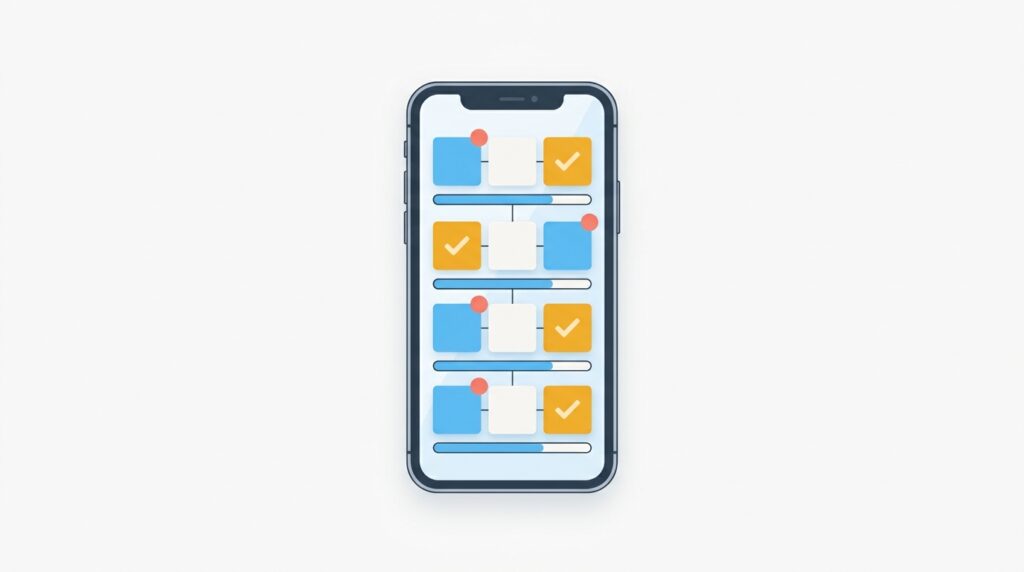
Most plumbers lose leads not because their pricing is off or their work is bad — they lose leads because they’re slow to respond. When a homeowner has a burst pipe or a clogged drain, they’re filling out three to five quote request forms at once and booking whoever calls back first. AI changes this equation completely. When you use AI to follow up with plumbing leads, an automated sequence fires off within seconds of a form submission, a Facebook message, or a missed call — keeping your name at the top of the prospect’s mind even while you’re elbow-deep in a job.
Beyond speed, AI follow-up systems do something else most plumbers overlook: they follow up multiple times without you having to remember. Research consistently shows it takes five to eight touchpoints to convert a service lead, but most contractors give up after one or two. An AI system keeps nudging prospects with relevant messages — reminders, seasonal offers, testimonials — until they’re ready to book.
If you’re already exploring automation for your plumbing business, you might also want to check out our guide on Best AI Automation Tools for Plumbers in 2026 for a broader look at what’s possible.
How Does AI Lead Follow-Up Actually Work for Plumbers?
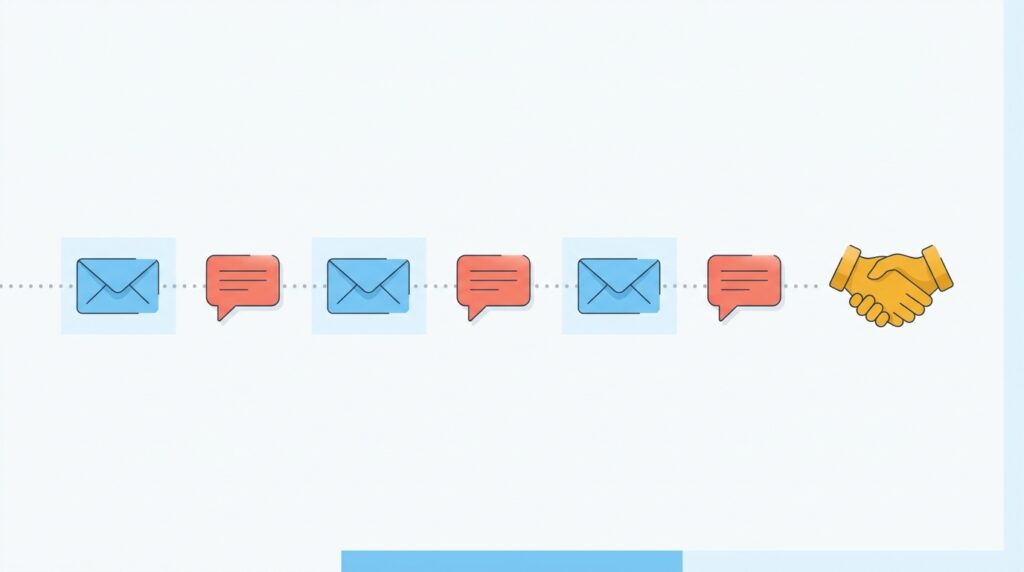
AI lead follow-up for plumbers typically works through three connected stages: instant acknowledgment, nurture sequences, and reactivation campaigns. In the first stage, the moment a lead submits a form, sends a DM, or triggers a missed-call event, the AI fires an immediate response — usually a text or email — confirming you received their request and setting expectations. This alone can dramatically increase conversion rates because it signals professionalism and speed.
In the nurture stage, the AI sends a series of pre-written but personalized messages over the following days. These might include a link to your reviews, a FAQ about your services, a photo of recent work, or a limited-time offer. Finally, reactivation campaigns target leads who went cold — people who asked for a quote six weeks ago but never booked. AI can automatically re-engage these contacts with a new message, often converting leads you had completely written off.
The best part? Once you set up the sequences, the system runs on its own. You can be on a job site while AI is warming up your next customer. For a deeper dive into scheduling and dispatch automation, see our guide on How to Use AI Scheduling for Plumbers.
1. Kit — Best AI Email Follow-Up Tool for Plumbing Leads
Best for: Plumbers who want powerful, automated email sequences to nurture leads over days or weeks with minimal ongoing effort.
Kit (formerly ConvertKit) is the top recommendation for how to use AI to follow up with plumbing leads because it combines a beginner-friendly interface with genuinely sophisticated email automation. You don’t need to be a tech wizard to build a five-email follow-up sequence that triggers the moment someone fills out your quote form. Kit’s visual automation builder lets you map out exactly what happens after a lead comes in: immediate confirmation email, a follow-up with your reviews 24 hours later, a “still interested?” message on day three, and a reactivation nudge a week out. Each email can be personalized with the lead’s name, the service they inquired about, and your business details.
What makes Kit stand out for small plumbing businesses is its tagging and segmentation system. You can tag leads by service type (water heater, drain cleaning, emergency repair) and send different follow-up tracks to each segment. A homeowner asking about a routine drain cleaning gets a different message than someone who just had a pipe burst at 2 AM. That kind of relevance dramatically improves open and reply rates. Kit also integrates with hundreds of tools through Zapier and native connectors, so it can hook directly into your website forms, Google Lead Forms, and Facebook Lead Ads.
Kit’s AI features help you write better subject lines, optimize send times, and suggest improvements to your sequences based on performance data. You don’t need to be a copywriter — Kit gives you a starting point and the data to improve it over time.
Key Features
- Visual automation builder with unlimited sequences
- Tagging and segmentation by service type or lead source
- AI-assisted subject line and email copy suggestions
- Native integrations with Zapier, WordPress, and Facebook Lead Ads
- Broadcast emails for promotions and seasonal campaigns
- Detailed open, click, and conversion analytics
Pricing
Kit offers a free plan for up to 10,000 subscribers with basic features. The Creator plan starts at $25/month for up to 1,000 subscribers and unlocks full automation and integrations. The Creator Pro plan starts at $50/month and adds advanced reporting and the ability to build referral networks. For most small plumbing shops, the Creator plan is more than enough.
2. ManyChat — Best AI SMS and Social Media Follow-Up for Plumbers
Best for: Plumbers who get leads from Facebook, Instagram, or Google Business Profile and want instant, automated replies via text or social messaging.
ManyChat is the fastest tool for AI lead follow-up in the plumbing trades when speed is the top priority. While Kit excels at email sequences, ManyChat dominates the SMS and social messaging space — and for plumbing leads, where urgency is often extreme, being able to auto-reply via text within seconds of a Facebook message or Instagram DM is a massive competitive advantage. ManyChat lets you build chatbot flows that instantly respond to incoming messages, qualify leads by asking a few quick questions (What service do you need? What’s your zip code? Are you a homeowner or renter?), and route hot leads directly to your phone.
Setting up a ManyChat flow for plumbing lead follow-up is surprisingly simple. You create a trigger (someone comments “price” on your Facebook ad, for example, or sends a DM to your Instagram), and ManyChat automatically sends a personalized response, collects their contact info, and adds them to a follow-up sequence. For SMS campaigns, ManyChat can send appointment reminders, quote follow-ups, and re-engagement messages to prospects who went quiet — all without manual effort.
ManyChat’s AI features include intent recognition, which allows the bot to understand when a lead is asking a price question versus an emergency question and respond appropriately. It also connects with Kit, so you can pass lead data from ManyChat’s SMS/social layer directly into Kit’s email sequences — creating a multi-channel follow-up system that covers all bases.
Key Features
- Instant auto-replies on Facebook Messenger, Instagram DM, and SMS
- Lead qualification bots that collect name, phone, service type, and zip code
- AI intent recognition for smarter conversation routing
- SMS broadcast campaigns for promotions and reactivation
- Integration with Kit, Zapier, Google Sheets, and Shopify
- Detailed flow analytics and A/B testing
Pricing
ManyChat offers a free plan with basic chat automation for up to 1,000 contacts. The Pro plan starts at $15/month for up to 500 contacts and scales with your list size. SMS messaging is available as an add-on, with usage-based pricing. For most small plumbing businesses, the Pro plan at $15–$45/month covers everything needed.
3. Housecall Pro — Best All-in-One Field Service Tool With Built-In AI Follow-Up
Best for: Plumbers who want AI-powered lead follow-up integrated directly into their dispatching, invoicing, and job management workflow.
Housecall Pro is the most purpose-built option for plumbers who want AI follow-up without managing separate tools. Unlike Kit (pure email) or ManyChat (social/SMS bots), Housecall Pro is a full field service management platform that bakes automated lead follow-up into the same system you use to schedule jobs, dispatch technicians, send invoices, and collect payments. When a new estimate is sent, Housecall Pro automatically follows up with the customer if they haven’t approved it — no manual reminder needed. When a job is complete, it auto-sends a review request. For leads that come in via the customer booking portal or phone, you can configure automated response messages.
The platform’s “Instinct AI” features help you prioritize leads by likelihood to book, suggest optimal follow-up timing based on historical data, and flag estimates that are about to go cold. For a plumbing business already using field service software, adding a standalone follow-up tool creates more work and more data to manage. Housecall Pro solves that by keeping everything in one place.
Key Features
- Automated estimate follow-up and approval reminders
- AI-driven lead prioritization and follow-up timing
- Integrated customer booking portal with automatic confirmation
- Post-job automated review requests (Google, Facebook)
- Dispatching, invoicing, and payment collection in one platform
- Pipeline view to track where every lead and estimate stands
Pricing
Housecall Pro starts at $79/month for a single user (Basic plan). The Essentials plan is $189/month and includes more automation features. The Max plan (pricing on request) includes advanced reporting and dedicated support. It’s pricier than standalone email tools, but replaces multiple subscriptions if you’re not already using field service software.
4. HubSpot — Best AI CRM for Plumbers Managing High Lead Volume
Best for: Growing plumbing companies with multiple technicians who need a full CRM to manage, track, and follow up with a large pipeline of leads.
HubSpot is the most powerful CRM option for plumbers who are scaling up and need to manage dozens — or hundreds — of leads simultaneously. While Kit handles email sequences and ManyChat handles social messaging, HubSpot provides the central nervous system that connects all lead sources, tracks every interaction, and automates multi-step follow-up across email, SMS, and phone. HubSpot’s AI tools include a predictive lead scoring system that ranks your leads by likelihood to convert, automated email sequences that pause when a lead replies, and a built-in AI content assistant that writes follow-up emails for you.
For plumbers using AI to follow up with leads, HubSpot’s free CRM tier is an excellent starting point. You can connect your website forms, Google Ads, and Facebook Lead Ads, then build automated workflows that trigger follow-up emails the moment a lead enters the system. The Sales Hub upgrade adds email sequences, task automation, and deal pipeline management — all genuinely useful for a plumbing business tracking estimates and conversions.
Key Features
- AI predictive lead scoring and pipeline management
- Automated email sequences that pause on reply
- AI writing assistant for follow-up email copy
- Multi-channel contact tracking (email, call, social)
- Native integrations with Google Ads, Facebook Lead Ads, and Zapier
- Free CRM with paid upgrade options for deeper automation
Pricing
HubSpot’s CRM is free forever with core contact management and basic email. The Starter Sales Hub is $20/user/month. The Professional Sales Hub is $100/user/month and unlocks full automation sequences. Most small plumbing businesses can start with the free tier and upgrade only when their lead volume demands it.
5. Jobber — Best Lightweight Follow-Up Tool for Small Plumbing Operations
Best for: Solo plumbers and small crews who want simple, automated quote follow-up without a steep learning curve or high monthly cost.
Jobber is a favorite among small plumbing operations because it balances simplicity with practical automation. Like Housecall Pro, it’s a field service platform — but Jobber tends to be more accessible for one- to five-person shops. Its automated follow-up features focus on the moments that matter most: sending a follow-up when a quote goes unaccepted, reminding customers about upcoming appointments, and requesting reviews after job completion. These automations run in the background with minimal setup, making Jobber one of the easiest ways for a small plumbing business to start using AI to follow up with leads without building complex workflows.
Jobber’s AI features include an AI-powered quoting assistant that helps you write professional estimates faster, and automated client hub notifications that keep customers informed throughout the job lifecycle. While Jobber doesn’t have the deep email marketing capabilities of Kit or the social bot power of ManyChat, it nails the core follow-up scenarios that cause plumbers to lose the most revenue.
Key Features
- Automated quote follow-up reminders
- AI quoting assistant for faster, more professional estimates
- Appointment confirmation and reminder texts/emails
- Post-job review request automation
- Client hub for real-time job status updates
- Reporting dashboard for tracking conversion rates
Pricing
Jobber starts at $49/month for the Lite plan (1 user). The Core plan is $99/month and includes automated follow-up features. The Connect plan is $149/month and adds two-way text messaging and advanced reporting. The Grow plan is $249/month with sales pipeline tracking and more.
Quick Comparison: AI Lead Follow-Up Tools for Plumbers
| Tool | Best For | Starting Price | Primary Channel | Ease of Use | Field Service Integration |
|---|---|---|---|---|---|
| Kit | Email nurture sequences | Free / $25/mo | ⭐⭐⭐⭐⭐ | Via Zapier | |
| ManyChat | SMS & social messaging | Free / $15/mo | SMS, Instagram, Facebook | ⭐⭐⭐⭐⭐ | Via Zapier |
| Housecall Pro | All-in-one field service + follow-up | $79/mo | Email + SMS (integrated) | ⭐⭐⭐⭐ | Built-in (native) |
| HubSpot | High-volume lead CRM | Free / $20/user/mo | Email, phone, social | ⭐⭐⭐ | Via integrations |
| Jobber | Simple follow-up for small crews | $49/mo | Email + SMS (integrated) | ⭐⭐⭐⭐⭐ | Built-in (native) |
How to Set Up AI Lead Follow-Up for Your Plumbing Business Step by Step
Getting started with AI to follow up with plumbing leads doesn’t require a tech team. Here’s a practical setup that any plumber can build in an afternoon:
Step 1: Choose Your Lead Entry Point
Decide where your leads come from most often — website contact form, Facebook ads, Google Local Services Ads, or phone calls. Each source needs a different trigger. Website forms can connect to Kit or HubSpot. Social DMs connect to ManyChat. Phone call leads can be captured through a CRM like Jobber or Housecall Pro.
Step 2: Build Your Instant Response
Write a simple, friendly message that fires within 60 seconds of a new lead coming in. Something like: “Hi [First Name], thanks for reaching out to [Your Business Name]! We received your request about [Service Type] and will call you within the hour. In the meantime, here are our most recent reviews: [Link].” This alone separates you from 90% of competitors.
Step 3: Create a 5-Touch Follow-Up Sequence
Using Kit or HubSpot, build a sequence that spans 7–10 days:
- Day 0: Instant confirmation email/text
- Day 1: “Did you get our call?” with your phone number and booking link
- Day 3: A value email — “5 signs you need a water heater replacement” (positions you as expert)
- Day 5: Social proof email with a recent customer testimonial
- Day 7: Final outreach with a soft offer (“Book this week and get a free camera inspection”)
Step 4: Add ManyChat for Social Leads
If you run Facebook or Instagram ads, connect ManyChat to auto-reply to comments and DMs. Set up a simple qualification bot that collects name, phone number, and service type, then passes that data to Kit for email nurturing. This two-channel approach (social + email) dramatically increases the chances of conversion.
Step 5: Set Up Reactivation Campaigns
Every 60–90 days, run a re-engagement campaign to cold leads. Use Kit or Housecall Pro to send a “We haven’t heard from you” message with a seasonal offer. Winter is a great time to push pipe insulation checks; spring is ideal for sump pump tune-ups. These campaigns routinely convert leads that went quiet months ago.

The Bottom Line
If you’re serious about learning how to use AI to follow up with plumbing leads — and turning more of those leads into paying jobs — the combination of Kit and ManyChat is the most powerful starting point for the majority of small plumbing businesses.
Kit is the top pick because it gives you a complete email follow-up system — from instant confirmation to multi-week nurture sequences — with the easiest setup of any tool on this list and a free plan that costs nothing to test. If you only implement one tool from this article, make it Kit. Build your five-touch sequence once and let it run while you’re on the job.
ManyChat is the essential companion if you generate any leads through Facebook, Instagram, or Google Business Profile. Its instant SMS and DM automation means no lead ever waits more than seconds for a response — and that speed advantage alone can be the difference between winning and losing the job. Use ManyChat to capture and qualify leads fast, then pass them into Kit for deeper nurturing.
If you want everything in one place and you’re not already using field service software, Housecall Pro is worth the higher price because it replaces three or four separate tools. For high-volume operations managing many technicians and lead sources, HubSpot’s CRM is the most scalable option. And for solo operators who just need simple, no-fuss follow-up baked into their job management tool, Jobber gets the job done without overwhelming you.
The bottom line: speed and consistency win plumbing leads. AI gives you both, for less than the cost of one lost job per month.
Frequently Asked Questions
How quickly should AI follow up with a plumbing lead?
AI should follow up with a plumbing lead within 60 seconds of the inquiry coming in — ideally, within 5 seconds for SMS and chat channels. Research from the Harvard Business Review found that companies responding within an hour of an online inquiry are seven times more likely to qualify the lead than those who wait even 60 minutes. Tools like ManyChat can respond instantly to social messages, while Kit can send a confirmation email within seconds of a form submission.
Can I use AI to follow up with plumbing leads even if I’m not tech-savvy?
Yes — tools like Kit and Jobber are specifically designed for small business owners with no coding or marketing background. Kit’s visual automation builder uses a drag-and-drop interface where you connect boxes to define what happens when a lead arrives. Most plumbing businesses can have a basic five-email follow-up sequence live within a few hours of signing up, using Kit’s pre-built templates as a starting point.
What should a plumbing lead follow-up message say?
The best plumbing lead follow-up messages are brief, personal, and action-oriented. The first message should confirm receipt of the inquiry, set expectations (“we’ll call you within the hour”), and include a link to your reviews or booking page. Follow-up messages in the days after should add value — tips on the service they inquired about, customer testimonials, and a clear offer or call to action. Avoid generic templates; personalize with the lead’s name and the specific service they asked about, which tools like Kit handle automatically using merge tags.
How many follow-up messages should I send to a plumbing lead?
Industry data suggests sending five to eight follow-up touchpoints over a 7–14 day period for a plumbing lead who hasn’t yet booked. The sequence should start dense (day 0, day 1, day 3) and then taper off (day 5, day 7, day 14). After that, move the lead to a low-frequency “reactivation” list and contact them every 60–90 days with a seasonal offer. Most plumbers give up after one or two attempts, so even a modest five-message sequence puts you well ahead of the competition.
Is AI lead follow-up compliant with anti-spam and SMS laws?
Yes, as long as you collect proper consent before sending automated messages — especially for SMS. In the US, the Telephone Consumer Protection Act (TCPA) requires that you get explicit written consent before sending marketing texts. Tools like Kit and ManyChat include built-in consent collection mechanisms, and opt-in forms on your website or Facebook Lead Ads can capture this consent automatically. Always include an unsubscribe option in every message, which compliant tools handle by default. When in doubt, consult your platform’s compliance documentation or a legal professional familiar with marketing law.
Affiliate Disclosure: This article contains affiliate links. If you click a link and make a purchase or sign up for a service, we may earn a commission at no additional cost to you. We only recommend tools we have genuinely researched and believe provide real value to small business owners. Our editorial opinions are independent and are not influenced by affiliate relationships.